


Ask a print shop what file to send, and you’ll get one question back: vector or raster? These two image types are the most common in digital imaging. And not only for printing, but designers are also constantly dealing with the vector vs raster dilemma.
So let’s settle it. Here’s what separates the two image types, where each one wins, and how to tell at a glance which one you’re holding.
What is a vector vs raster image?
The difference comes down to how the picture is stored.
A raster image is a grid of pixels. Each pixel holds one color value, so when you line up enough of them, your eye blends the grid into a photo. If you zoom in a little bit too close, the illusion breaks, and you start seeing the squares. Every digital camera, phone screenshot, and scanned document is rasterized with the file type JPEG, PNG, GIF, or TIFF.
A vector image doesn’t store pixels at all. It stores mathematical instructions: a circle of this radius, centered here, filled with that color, with a line running from point A to point B. The software then reads these instructions and draws the shape at the size you ask for. It’s not stored as a fixed picture, but as a set of mathematical instructions, which is why it stays perfectly crisp at any scale. The most common vector format on the web is SVG.
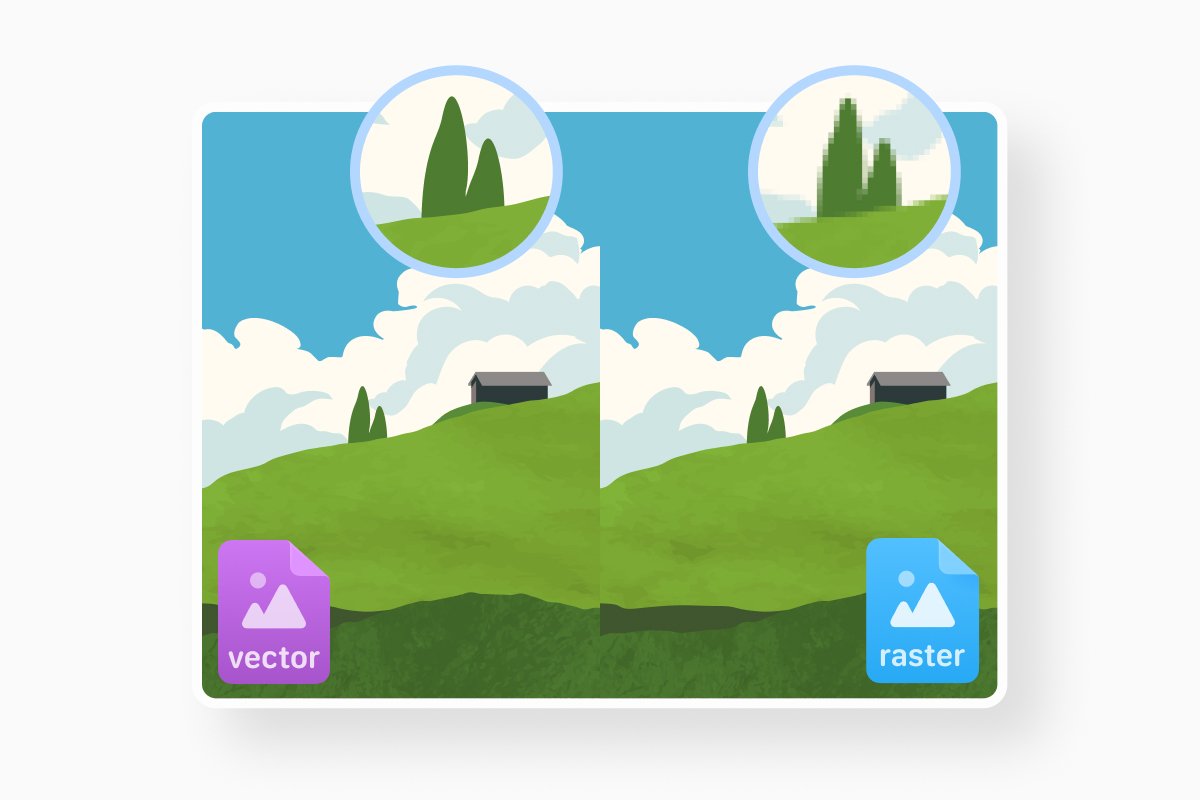
How raster images work
Resolution is very important for raster images. For instance, a standard 1920x1080 image (Full HD or 1080p) contains over 2 million individual colored pixels. This is one of the most common sizes. Higher resolutions (4K) contain even more pixels, but the file size can be significantly larger.
But the number of pixels is locked. Which means you cannot simply enlarge your file, because the software will have to invent pixels that were never captured, guessing at the colors in between. This is the primary reason raster images look blurry or pixelated in some cases.
But of course, the positive side of raster is detail. Raster handles subtle gradients, shadows, textures, and the millions of color shifts in a real photograph far better than vector ever could. No vector format can reproduce a sunset or a portrait convincingly.
How vector images work
Since vector graphics are defined by math, resizing also works mathematically, by recalculating into a correct size every time.
That’s also why vector files tend to be small and clean. A two-color logo might be a few kilobytes of code rather than a megabyte of pixels. They’re also editable, so changing a brand color or a shape is a trivial request.
But of course, just like with raster, vector has its own faults. Realism is its biggest one. Vector images are great for shapes, lines, and solid colors, not for the complex details in photographs.
Vector vs raster graphics: the key differences
Put the two side by side and the contrast is easy to hold in your head.
|
Vector |
Raster |
|
|
Scaling |
Infinite with zero quality loss |
Loses quality when enlarged |
|
File size |
Lighter for simple graphics |
Gros with resolution |
|
Details |
Crisp lines, type, and flat shapes |
Photos, textures, and complex color |
|
Editing |
Non-destructive and endlessly adjustable |
Permanently alters pixels |
|
Best for |
Logos, icons, fonts, and illustrations |
Photography, screenshots, and scanned material |
Neither is better. They solve different problems, and a lot of real projects use both.
Vector vs raster data in GIS
The vector vs raster split isn’t only considered in design. It’s also one of the foundational concepts in Geographic Information Systems (GIS) for mapping.
In a GIS, vector data represents the world as discrete points, lines, and polygons, each tied to exact coordinates. For example, a weather station is a point, a road is a line, and a county boundary is a polygon. These precise coordinates work for accurate measurements, property parcels, transit networks, and administrative borders.
Raster data represents the world as a grid of cells (pixels), with each cell holding a single value. It’s used for continuous phenomena, such as elevation, temperature, rainfall, or satellite imagery. Agencies like the U.S. Geological Survey provide huge libraries of raster data, including digital elevation models and aerial photography, in formats such as GeoTIFF.
GIS analysts often summarize the choice with an old rhyme: raster is faster, but vector is corrector. As Esri and other GIS vendors note, most real-world projects use both formats together, overlaying vector boundaries on raster imagery to get the best of both.
The core idea is the same as in graphic design, just applied to spatial data: one model uses mathematical shapes and coordinates, the other uses a grid of cells.
When to use vector vs when to use raster
Use for vector when the artwork needs to be resized or edited later. Logos, icons, custom typography, illustrations, infographics, charts, and anything headed to large-format print or signage.
Use for raster when the image is photographic or rich in detail. Product photos, marketing photography, screenshots, scanned paperwork, and complex digital paintings all belong here. Web images intended to display at a fixed size are usually raster too, since formats like JPEG and PNG are universally supported and compress well.
Converting between formats
You can convert a photo into vector, but you won’t recover detail the pixels never had. But any vector file can be exported to a raster format at whatever resolution you need. So when in doubt, use vector and export raster copies as needed.
A single PDF can hold vector elements, raster elements, or a mix of both. That’s why PDFs work well for sharing designs, printing, and everyday work.
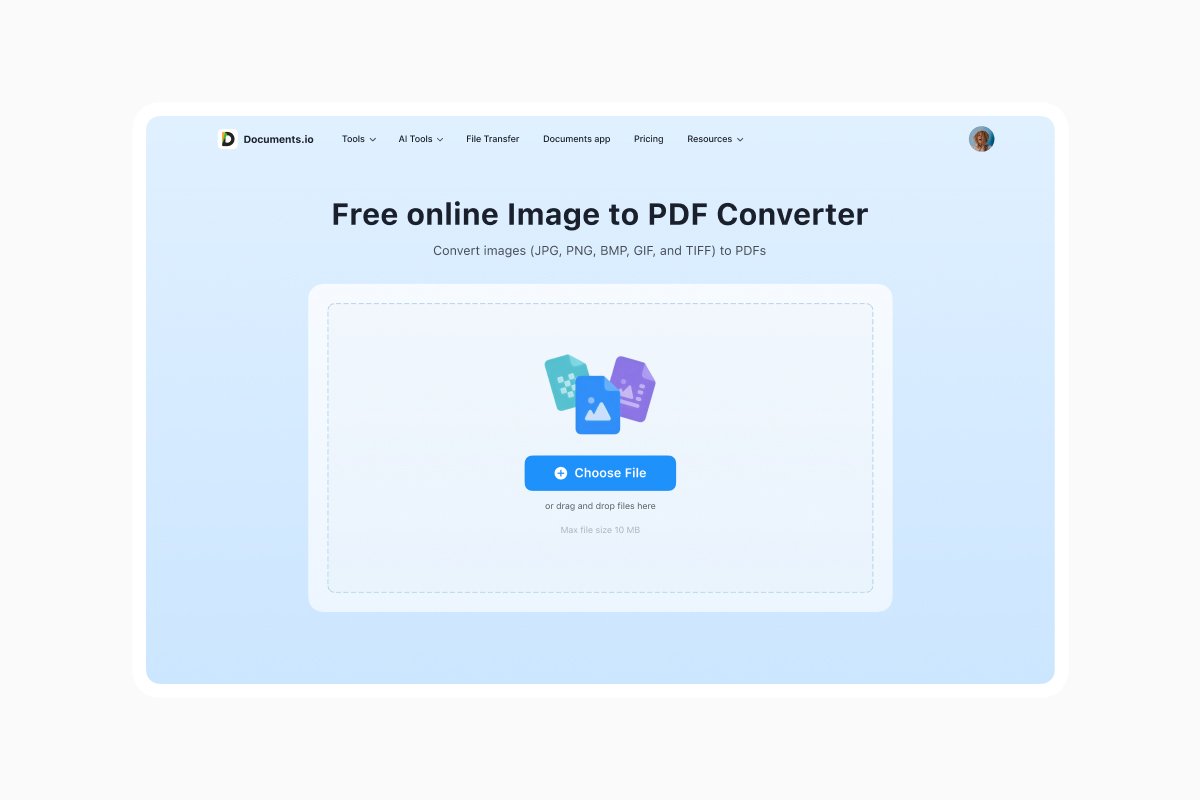
Often, the format you want is PDF itself. Turning a raster image or a vector file into a PDF gives you one portable document that opens the same way on any device. Documents.io is a web converter built for exactly that. Upload a file in a PNG, JPEG, or other image, and get a PDF.
FAQ
Is a JPEG vector or raster?
JPEG is a raster format. It’s built from pixels and will degrade if you scale it up too far.
Is an SVG vector or raster?
SVG is a vector format. SVG files store shapes as code rather than pixels, which is why they stay sharp at any size and are widely used for web logos and icons.
Is a PDF vector or raster?
A PDF can be either, or both at once. Text and line art are usually vector, any embedded photo is raster. That hybrid nature is what makes PDF such a flexible format for sharing finished work.
Which is better, vector or raster?
Neither. They solve different problems. Choose vector when your image needs to scale or be edited (logo or icon). Choose raster when the image is photographic or full of fine detail.
Latest posts

Knowledge Base
Video file formats explained: MP4, MKV, AVI and more
Learn the difference between video file formats (MP4, MKV, AVI, MOV, WebM) and codecs (H.264, H.265, AV1). Find out which format is best for social media, professional editing, and universal compatibility in 2026.

Knowledge Base
The beginner photographer’s guide to file conversion (RAW, JPEG, TIFF, PNG)
A beginner-friendly guide to converting RAW, JPEG, TIFF, and PNG photos. Learn quality tradeoffs, export settings, and smart archiving habits for web and print.

Knowledge Base
How to make a GIF: simple steps to create and share loops online
Making a GIF is simple: trim a short moment from a video, convert it, and save the loop. Whether you’re using a browser-based converter like Documents.io or an app, the key is to keep it short, clean, and seamless for easy sharing anywhere.