


SVG files are everywhere online, quietly powering the icons, logos, charts and illustrations that make today’s websites feel sharp and modern. They are the reason an icon looks crisp on a retina display. They are why a company logo stays perfect no matter how big you make it. And yet, unless you work in design or development, SVG might still be one of those mystery file formats you’ve heard about but never fully understood.
Let’s fix that.
So… what actually is an SVG file?
SVG stands for Scalable Vector Graphics. It’s a graphics format based not on pixels but on math. Instead of storing an image as a grid of coloured dots like PNG or JPG do, an SVG describes shapes. Lines, curves, circles, paths. Your browser reads these instructions and draws the image on your screen, perfectly and cleanly, every time.
That simple shift – from pixels to formulas – changes everything. It means an SVG can scale to any size without ever becoming blurry. A 16 pixel icon, a 300 pixel logo, a 2 metre-wide print – the same file handles them all. For logos, illustrations and UI elements, SVG is hard to beat.
Why SVG exists at all
Before SVG, the web was mostly built out of pixel based images. Designers exported icons at a dozen sizes to support different screens. Logos would blur on retina displays. UI elements had to be sliced into static PNGs. Everything felt heavier than it needed to be.
SVG solved the entire problem in one move. One file. Infinite sizes. Always crisp.
And because SVG is built on open web standards, you can style it with CSS, animate it, script it or embed it directly in HTML. It’s one of the few formats that sits comfortably in both the design world and the development world.
SVG vs PNG
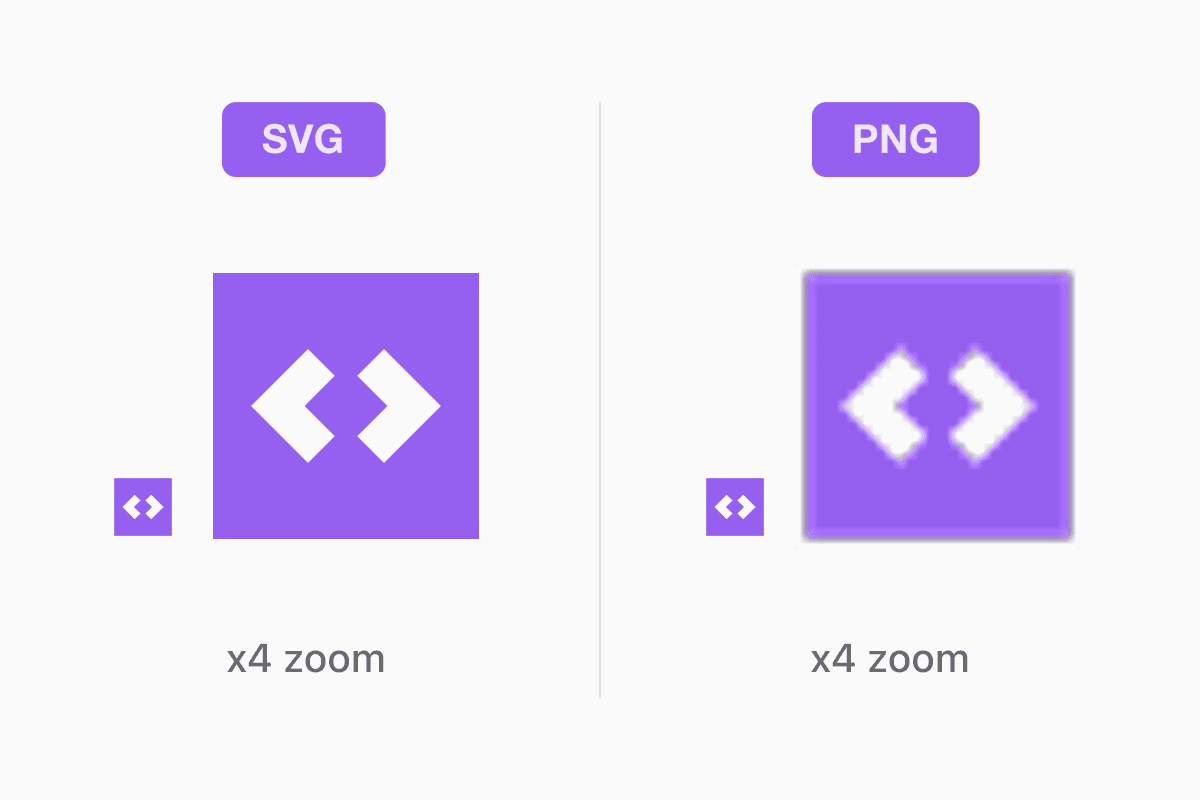
PNG is a bitmap format. It stores pixels. It’s fantastic for screenshots, UI assets, text-heavy graphics or anything where you want perfect sharpness at a specific size. It supports transparency and handles flat graphics very cleanly.
SVG, though, is made of vector paths. It isn’t tied to a resolution. You can zoom forever and never see a fuzzy edge. And for simple artwork like icons or logos, SVG files tend to be far smaller than PNG.
For complex illustrations, PNG might still be better. For anything geometric or symbolic, SVG is king.
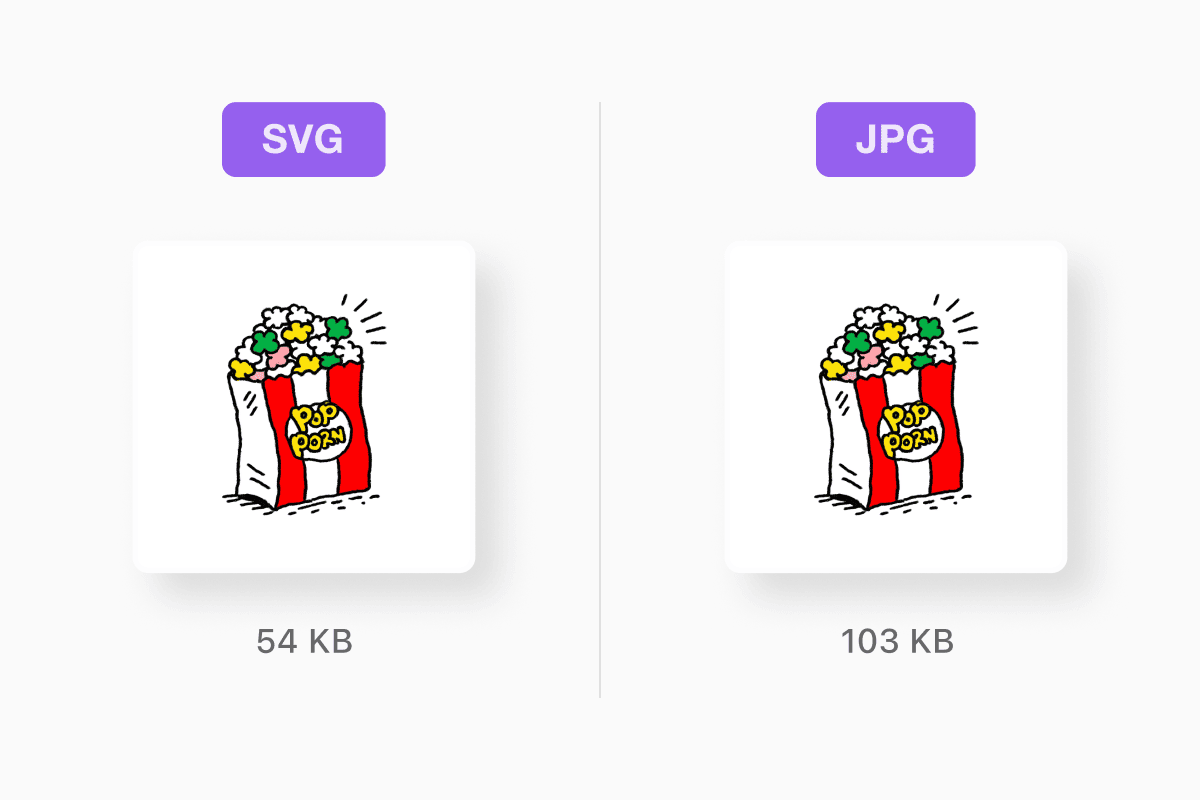
SVG vs JPG
JPG is great for real-world photographs: faces, landscapes, food, shadows, sunsets. It compresses aggressively while still looking good, which is why it’s everywhere online.
But JPG is always pixel based. Zoom in far enough and you’ll see blocky edges and noisy artefacts. JPG also doesn’t support transparency, which makes it unsuitable for logos or UI elements.
SVG is the opposite. It’s not meant for photos at all but it is perfect for line art, flat shapes and clean graphics.
What SVG files are used for
Once you recognise SVG’s strengths, you start seeing it everywhere.
Every icon on a well-designed website? Probably an SVG.
A crisp brand logo that looks perfect on a 4K display? SVG.
A map, diagram or illustrated graphic that animates as you scroll? Also SVG.
SVG is the modern standard for clean, scalable graphics in web design and UI work. Designers love it because it stays sharp. Developers love it because it behaves like part of the page.
How to open or edit an SVG file
Opening an SVG file is easy. Any modern browser can display one. Drag an SVG into Chrome, Safari, Firefox or Edge and you’ll see the image instantly.
Editing is where things get interesting. Because SVG is a vector format, you need vector editing software. Tools like Adobe Illustrator, Figma, Affinity Designer or Inkscape can all open and modify SVG files. You can tweak curves, change colours, add shapes or rewrite the drawing entirely.
And because SVG is just XML text under the hood, technically you can open it with a plain text editor too. It’s not the friendliest way to work, but everything inside the file is readable.
On iPhone or iPad, SVGs preview in the Files app, but deeper management is limited. If you want to store, preview and organise SVGs alongside your other files, Documents by Readdle gives you a proper file manager that handles graphics, documents, ZIPs and everything else in your workflow.
Do all browsers support SVG
Yes. Browser support is effectively universal. Chrome, Firefox, Safari, Edge and modern mobile browsers all understand SVG natively. If a site is still shipping pixel-based icons in 2025, that is a design decision, not a technical limitation.
Can you animate SVG
Yes. SVG is one of the most animation-friendly image formats ever created. Designers can animate strokes, shapes, colours, rotations or entire drawings using CSS or JavaScript. This is how many modern websites create those subtle line-drawing animations or icons that gently pulse or transform as you scroll.
You can’t do that with PNG or JPG.
How to convert an SVG image to JPG
Sometimes you need a pixel version of your artwork. Maybe a website requires a JPG upload. Maybe you need a flattened image for a newsletter or a social post. Maybe an older tool doesn’t support SVG at all.
Converting SVG to JPG is easy. In Illustrator, Figma or Inkscape you can export the SVG as a JPG at whatever resolution you want. On macOS you can even open the SVG in Preview and export from there.
If you don’t want to install software, online converters make the process even faster. You can upload an SVG to documents.io, choose JPG as the output format and download a clean, flattened version in seconds. It’s ideal when you need a quick conversion without touching your design tools. You can try the SVG converter for free.
Just remember: JPG does not support transparency and will always be pixel based, so the image won’t be infinitely scalable anymore. For crisp edges, PNG is often a better fallback than JPG.
What makes SVG unique
SVG is one of those rare formats that feels both futuristic and timeless. It’s mathematical, editable, scriptable and resolution independent. It works at icon size and billboard size. It behaves like code but looks like design. And it manages to be lightweight while doing all of this.
Once you start recognising SVG’s superpower – crisp graphics at any size – you notice it everywhere. Websites load faster. Logos never blur. UI icons look handcrafted. Even animations become easier.
SVG is more than a file format. It is a modern design standard.
Bottom line
SVG is the web’s answer to crisp, scalable graphics. If your image needs to stay sharp no matter how large it gets, SVG is the right choice. Use it for icons, logos, diagrams, illustrations and UI assets. Use PNG or JPG for photographs. And when you need to convert or manage these files on mobile or desktop, tools like documents.io and Documents by Readdle make the whole process effortless.
Latest posts
Glossary
What is a DOCX file, and how do you open one without Word?
Got a DOCX file but no Microsoft Word? Learn what this popular document format is and the easiest ways to open and edit it
Glossary
What is an HTML file, and what should you do with one?
Found an HTML file and not sure what to do with it? Learn what HTML files are and the easiest ways to open, view, and edit them.
Glossary
What is an EPUB file, and how do you open one on your iPhone?
Got an EPUB file on your iPhone? Learn what this popular ebook format is and the easiest ways to open and read EPUB files.