


You downloaded a book, but when you decided to check it, your device says the download finished, but a file called mydownload.epub is just sitting in your Downloads folder.
Apple has supported EPUB since the first iPad, and every mainstream e-reader outside Amazon’s ecosystem uses it as the house format. The issue of opening it isn’t connected to the compatibility; it’s more about the process of a handoff between the file and the app that should be reading it.
But before we dive into how to open a file and how to convert it, let’s answer the most important question: what is EPUB?
What is an EPUB file?
If you rename an .epub to .zip and unzip it, you’ll get a folder of ordinary web files: XHTML documents for the chapters, a CSS stylesheet, a folder of images, and a cover.
In simple terms, an EPUB file is a website that is zipped into a single file that reading applications can open.
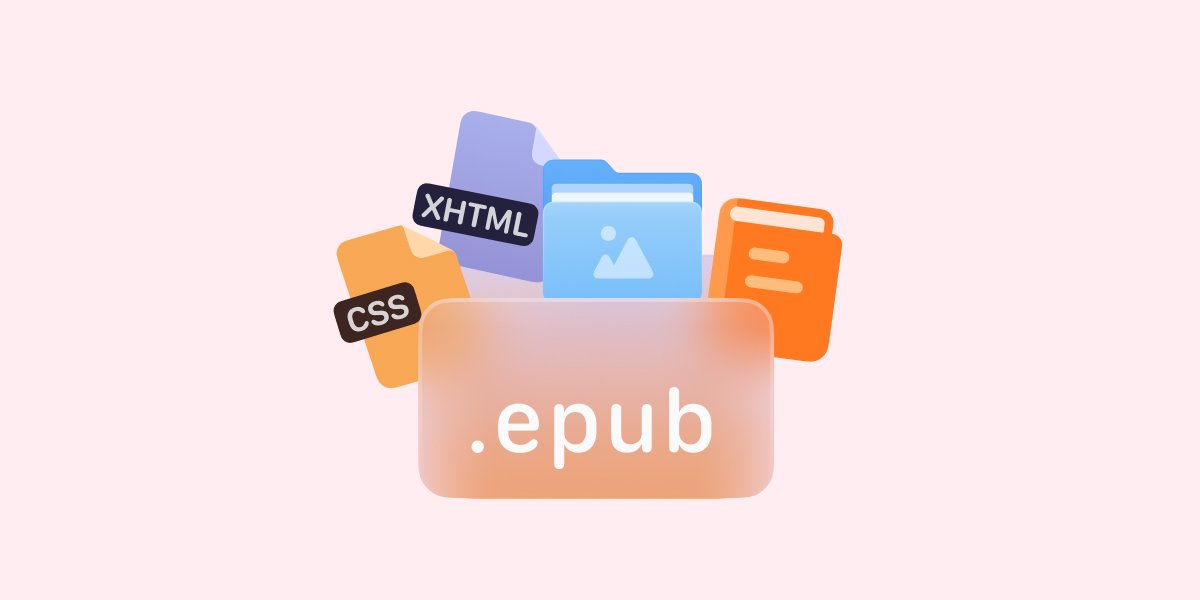
Since the content is written with HTML and CSS, the pages are not fixed. If you change the font size on your phone, the words move and reorganize themselves. That is the main reason people like (or sometimes dislike) EPUBs, and why the same file works on both a small phone screen and a large monitor.
The International Digital Publishing Forum handed the format over to the World Wide Web Consortium in 2017. And EPUB 3.3 became a full W3C Recommendation on May 25, 2023, the first time the format had proper web-standard status, and accessibility rules were built into the core rather than added later.
Work on EPUB 3.4 is already happening. The Publishing Maintenance Working Group is chartered through February 2027, and one of the things they are sorting out is how to package continuously scrolled comics and webtoons.
How to open an EPUB file on iPhone and iPad
You can open your EPUB files on your iPhone or iPad using one of the three methods. They are listed from the easiest to the least easy.
- Open it from Files. Tap Browse, find the .epub in Downloads or iCloud Drive, and tap it. iOS hands most EPUBs straight to Apple Books.
- Push it there yourself. If tapping only shows a preview, tap the Share icon and pick Books. On an email or Messages attachment, the same route works: tap, Share, Books. If Books isn’t in the row of apps, tap More and scroll.
- Convert EPUB to another format. Apple Books is fine for reading but not great for managing files. If you prefer, you can convert the EPUB to PDF with Documents.io and open it on any device, Android, iOS or Windows.
If nothing opens, check the file name. Downloads that arrive without an extension won’t open at all. Adding .epub yourself in Files can often fixes it, but files with a double extension like book.epub.txt are usually better deleted than repaired.
On a Mac, Books handles EPUB the same way. On Windows, free apps like Calibre and Thorium Reader both work well.
When the download isn’t a book
When downloading a book, you may also find another file extension in your downloads, ending in .acsm.
This isn’t an ebook. An ACSM file is a small token from Adobe. It tells Adobe Digital Editions which book you are allowed to get and where to fetch it. The real EPUB arrives later, locked with Adobe’s DRM, and it only opens in software linked to your account.
Since July 2025, that system has moved to Wipro. New devices need a free ByteBooks ID (use the same email as your old Adobe ID). Already authorised books keep working as long as you don’t sign out.
Most library apps avoid this completely. The .acsm route is mainly used by academic publishers and some smaller stores.
Is EPUB better than PDF?
For reading on a phone, yes, and it isn’t close.
A PDF has fixed pages. Every line break, margin and column was decided when the file was made. On a small screen, you end up pinching, zooming and sliding sideways just to follow a sentence. An EPUB doesn’t have fixed pages, it can be reflowed to fit your screen size, font size and night mode. Screen readers are also more effective when reading EPUB as the text is actually HTML and includes proper headings as opposed to text that is locked in place.
PDF still wins in other situations. Page numbers stay the same, which matters when you need to cite a source. Anything that relies on a fixed layout, like sheet music, a lab manual with diagrams, a form you fill out, needs that layout to stay intact. And a PDF prints exactly as it looks on screen.
Students often need both: read in EPUB, then cite and print from PDF.
Can you convert an EPUB to PDF?
Yes, but you have to know a couple of things. You are taking a file that was never meant to have fixed pages and forcing pages onto it. The text stops reflowing. Embedded fonts are often replaced with close matches. Fancy drop caps and typographic details usually flatten out. Interactive parts in an EPUB 3 file become static. The actual text, images, chapter breaks and table of contents survive fine.
On an iPhone you don’t need a computer. Documents.io can turn the file into a PDF for free. Simply drag and drop your document in the converter and the tool will convert the file securely and for free.
Two limits worth knowing. DRM-protected files won’t convert, because no converter can read them in the first place. And if the destination is a Kindle rather than a printer, skip the PDF entirely: Amazon’s Send to Kindle has accepted EPUB since 2022 and converts it to Kindle’s own format on the way in, which keeps the text reflowable.
Where to find EPUBs worth opening
Project Gutenberg has tens of thousands of public-domain titles. They are free, need no account, and everyone has an EPUB download. Standard Ebooks takes those same texts and typesets them carefully, which makes a noticeable difference if you care how the book looks. Your library card opens the rest through Libby. Kobo and Google Play Books sell EPUBs you can keep.
Nearly twenty years after Amazon released a reader that refused to open the format, the Kindle now quietly converts EPUBs when they arrive. Adobe has handed its DRM system to someone else. And the file sitting in your Downloads folder still opens with a tap. Open standards tend to age well.
FAQ
Is EPUB trusted?
Yes. It’s maintained in public by the W3C, implemented by Apple Books, Kobo, Nook, and Google Play Books, and it now carries legal weight in Europe: since the European Accessibility Act took effect on June 28, 2025, ebooks sold in the EU have to meet accessibility requirements, and the W3C published a formal mapping showing how EPUB Accessibility 1.1 satisfies them.
What are the advantages of EPUB?
You can change the font size, line spacing and colours to suit yourself. It works on almost every device. It handles many languages and special scripts well. It can include links, audio, video and simple animations. Publishers can still add DRM if they want to control distribution.
What are the disadvantages of EPUB?
Unlike Word or PDF, EPUB editing capabilities are limited. While EPUB’s device adaptability is an advantage, compex layouts may not always display as intended.
Latest posts
Glossary
What is a DOCX file, and how do you open one without Word?
Got a DOCX file but no Microsoft Word? Learn what this popular document format is and the easiest ways to open and edit it
Glossary
What is an HTML file, and what should you do with one?
Found an HTML file and not sure what to do with it? Learn what HTML files are and the easiest ways to open, view, and edit them.
Glossary
What is an M4A file, and how do you convert one to MP3?
Got an M4A file but need an MP3? Learn what the M4A format is and the easiest ways to convert M4A files to MP3.