


For about thirty years, a photo on the web almost always meant a JPEG. Heavy, blocky if you squeezed it, and still the file every camera and every website treated as the default.
Then smaller formats showed up: WebP made JPEGs easier to replace. AVIF went further: same picture, often about half the weight, with sharp edges, transparency, and room for HDR.
So what is an AVIF file, when should you use one, and how do you open or convert it if Preview, Photoshop, or your phone shrugs at the extension?
What is an AVIF file
AVIF stands for AV1 Image File Format. It uses the same technology that compresses modern video, developed by the Alliance for Open Media that includes Google, Apple, Mozilla, Netflix, Amazon, and Microsoft, and applies it to still pictures. One video frame of AV1 video, wrapped in a container, saved with an .avif extension.
That’s exactly the point of AVIF. Video codecs have absorbed decades more compression research than image formats have, so pointing one at a photograph produces dramatically smaller files than JPEG’s 1992-era math can manage.
The AVIF file type supports things JPEG never did: see-through backgrounds, brighter HDR, richer colour range, higher colour detail, lossless option, and animation. One format covering work that used to need JPEG, PNG, and GIF separately.
That is also why so many websites now serve it. Pictures are most of a page’s weight, and AVIF can cut that roughly in half without the photo looking worse. Chrome, Firefox, Safari, and Edge all open it, so every major browser has supported it for years. About 95 percent of people online can view it.
So you keep finding .avif files in your downloads even if you never picked the format. Many sites and publishing tools now convert JPEGs to AVIF in the background.
Is AVIF better than JPG?
If the photo is going on a website, yes. An AVIF is usually 40-60% smaller than a JPEG that looks the same. Gradients stay smoother, and it can handle see-through backgrounds and HDR colour, which JPEG cannot.
If you need to send the file to someone, JPEG still wins because it opens on every computer, editor, printer, and old work app.
|
AVIF |
JPG |
|
|
File size |
Usually much smaller |
Larger for the same look |
|
Looks on the web |
Excellent |
Good, can get blocky |
|
See-through background |
Yes |
No |
|
HDR/extra colour |
Yes |
No |
|
Opens everywhere |
No |
Yes |
|
Best for |
Websites |
Email, print, sharing |
So AVIF is the better format but JPG is the more useful file. Use the former when a browser will show the picture and the latter when a person has to download it, edit it, or print it.
AVIF also takes longer to create than JPEG or WebP. That matters if a company is converting thousands of photos. It does not matter if you are only trying to open one file.
What opens AVIF files?
If a site sent you an .avif and nothing on your computer will open it, you are not doing anything wrong. Browsers handle this format well. A lot of everyday apps still do not.
The fastest check is a browser. Drag the file onto a Chrome, Edge, Firefox, or Safari window and it should appear straight away. The browser does the work itself, so this works even when Windows or an old image app refuses the file.
Windows 10 and 11 will not open AVIF on a stock install. You need Microsoft’s free AV1 Video Extension from the Microsoft Store. After that, the Photos app can open the picture and File Explorer can show a thumbnail. Some HDR or high-colour files still fail. If you have a Windows N or KN edition, install Media Foundation Codecs first or the extension will not work.
On a Mac running Ventura or later, Preview, Finder, and Quick Look open AVIF with nothing extra to install. iPhone and iPad can show it in Safari, Files, and Photos from iOS 16 onward. Messages is the weak spot: the same picture often looks broken there on both iPhone and Mac, which is why people suddenly go looking for a converter. Android has built-in support from version 12 onward.
Plenty of editors can read AVIF too, including GIMP, Krita, Paint.NET, XnView, IrfanView, digiKam, ImageMagick, and Photoshop 2023 or newer. Microsoft Office, most email apps, many website upload boxes, and almost all print portals still cannot.
That last group is the real problem. You can add support on your own computer. You cannot add it to a website that just rejected the file. In that case, convert it.
How to convert an AVIF file to JPG
The fastest route is a browser-based converter, and no install is required. Open Documents.io’s AVIF to JPG converter, drop your file in or choose it from your drive, and download the result. It handles batches, so a folder of files from a site that switched to AVIF takes one pass rather than 30.
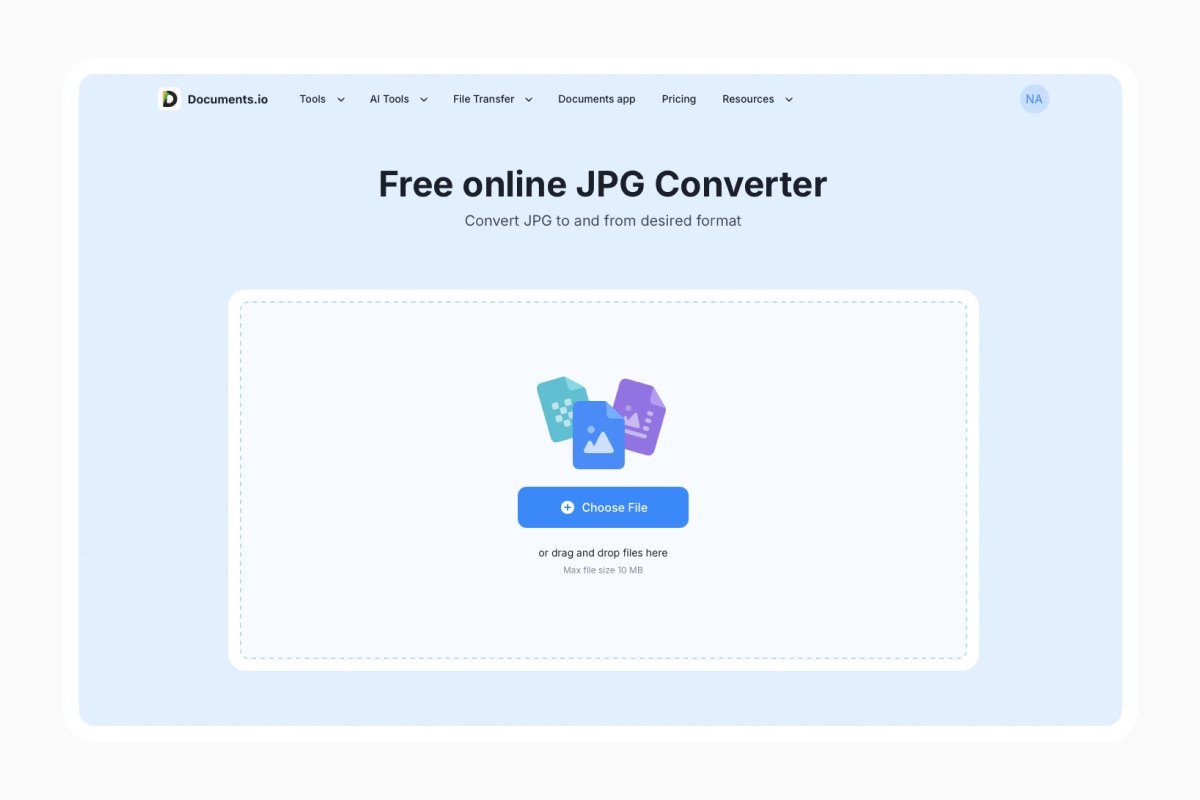
Two things to expect, neither of which means anything went wrong:
- The JPG will be bigger than the AVIF. Often two or three times bigger. A 60 KB AVIF can come out around 200 KB as a JPEG.
- Transparency disappears. JPEG cannot store transparency, so those parts usually turn white. For logos, icons, product cutouts, and anything you intend to layer over a background, convert to PNG instead.
Most converters also strip extra photo data such as GPS and camera settings. That is useful if you are posting the picture in public, and a problem if you needed that information.
How to convert an AVIF file to PNG
Same steps, different format: use Documents.io’s AVIF to PNG converter.
Choose PNG when the image has transparency, when it’s a screenshot, logo, diagram, or anything with sharp edges and flat colour, or a file you plan to edit later. Use JPG for ordinary photos you want to email, print, or upload somewhere with a size limit.
One caveat on PNG: it’s lossless, so images can be very large, especially for photographs. A 200 KB AVIF photo can pass 2 MB as a PNG. For pictures without transparency, JPG is almost always the better target.
Convert, or fix the underlying problem?
If AVIF files keep appearing in your downloads, decide which side of the problem to solve.
Convert to JPG when the image has to leave your computer; for instance, email attachments, print submissions, client deliverables, marketplace listings, anything you cannot control.
Install a decoder when the files are for you. One free extension on Windows or a viewer with built-in support means you stop converting the same kind of file every week.
If you put images on a website yourself, serve AVIF first and keep a JPEG (or WebP) copy behind it. Modern browsers will use the smaller file, while older ones will fall back to the copy they understand, so nobody sees a broken picture.
FAQ
Is AVIF better than JPG?
AVIF makes a smaller file and handles color, transparency, and HDR better. However, JPG is better supported.
Why is my converted JPG bigger than the AVIF?
Because AVIF compresses far more efficiently. A file growing two or three times during conversion is normal and not a sign of an error.
Can I convert AVIF to JPG on my phone?
Yes. Browser-based converters work on mobile, which is the practical route on iOS since the Files app can’t re-encode images.
Does converting lose quality?
A little. JPG already throws some detail away, and converting does that again. At normal settings you will not see it on a screen. If you still plan to edit the image, use PNG instead.
Can I convert JPG back to AVIF?
Yes, and that is useful if you want smaller pictures on a website. It will not bring back detail that a JPEG already lost.
Latest posts
Glossary
What is a DCM file, and how do you open one?
DCM files are commonly used to store medical images such as X-rays, CT scans, and MRIs. Discover what DCM files are, how they work, and which tools you can use to open and view them.
Glossary
What is a CR2 file, and should you keep it or convert it?
CR2 is a RAW image format used by Canon digital cameras to preserve detailed photo data. Discover how CR2 files work, how to open and edit them, and whether you should keep the original files or convert them to more accessible formats
Glossary
What is a FLAC file? The lossless audio format explained
FLAC is a lossless audio format that preserves original sound quality while reducing file size. Discover how FLAC files work, how they compare to MP3, and how to open, play, or convert them on different devices.