

What is a MOV file, and how do you convert or compress one?

You AirDropped a video to a colleague and they can’t open it. Or you tried to attach a two-minute clip to an email and it’s 400 MB. Or Windows plays the audio while showing a black rectangle where the picture should be.
All three are MOV problems, and all three have the same root cause: Apple’s video format works perfectly with Apple’s ecosystem and doesn’t work at all outside of it.
Here’s what a MOV file actually is, how it differs from MP4, and the two operations you’ll almost certainly need: making it play everywhere, and making it smaller.
So what is a MOV file, why do Apple devices keep making them, and how do you convert or compress one without wrecking the picture?
What is a MOV file?
MOV is the extension for the QuickTime file format, which Apple introduced in 1991. It’s a container, not a codec. It holds video tracks, audio tracks, subtitles, timecode, chapter xmarkers, and metadata, and defines how they’re organized and synchronized.
The codec is the compression method used on the content inside the box. A MOV can contain H.264, HEVC, ProRes, Motion JPEG, or a dozen other things, and two files with the same .mov extension can be entirely different animals.
You’ll usually see MOV files from four places: video shot on an iPhone or iPad, screen recordings on a Mac, exports from Final Cut Pro and other Apple apps, and professional camera or editing footage saved as ProRes.
Is MOV the same as MP4?
No, but they’re close relatives. When MP4 was standardized in the late 1990s, it was built from Apple’s QuickTime format. MP4 is essentially a standardized, open descendant of MOV, which is why the two files look so similar on the inside. They’re still different, nevertheless.
MP4 plays almost everywhere: Windows, Android, smart TVs, browsers, social sites, and old meeting-room projectors. MOV plays on Apple devices and often needs converting anywhere else.
MOV can also carry things MP4 usually cannot, especially Apple’s ProRes codec. It is more flexible with extra video tracks, see-through backgrounds, and timecode, which is why editors still work in MOV.
Neither format makes the picture look better on its own. Quality comes from how the video was compressed and at what size. A MOV and an MP4 that hold the same H.264 video look the same, because they hold the same data.
|
MOV |
MP4 |
|
|
Made by |
Apple, 1991 |
MPEG group, built from QuickTime |
|
Plays on |
Apple devices natively, elsewhere often needs help |
Windows, Android, TVs, browsers, social sites |
|
Codecs inside |
H.264, HEVC, ProRes, and other Apple formats |
H.264 and HEVC, no ProRes |
|
Extra tracks |
Handles timecode, see-through backgrounds, multiple video tracks |
More limited |
|
Picture quality |
Same as MP4 with the same video inside |
Same as MOV with the same video inside |
|
Best for |
Filming and editing |
Sending, uploading, sharing |
So in the MP4 vs MOV battle, both win. MOV is the better working format but MP4 is the better sharing format. Edit in one, send the other.
Why your MOV won’t play on Windows
This is the usual complaint, and the problem is almost never the .mov name. It is how the video inside was compressed. Windows Media Player can play a MOV when that video is H.264, but the other two types (HEVC and ProRes) break it.
Since iOS 11, iPhones often record in HEVC, also called H.265, because the files are about half the size. Windows doesn’t include a decoder for that, Microsoft sells HEVC Video Extensions in the Store for about a dollar. An older free version from PC makers has stopped working for many people. Typical signs: you hear sound and see a black screen, or you get a message that a codec is required.
ProRes is Apple’s professional format, Windows can’t play it on its own at all. If someone sent you a ProRes file from Final Cut, a Store add-on will not fix it.
Two fixes, depending on what you need. To simply watch the file, install VLC, which bundles its own decoders for HEVC and ProRes and plays these files without buying anything. To do anything else with it, editing, uploading, emailing, or sharing with someone who has the same problem, convert MOV to MP4 with H.264.
But don’t install QuickTime for Windows. Apple stopped it in 2016 and stopped security updates.
Can I just change MOV to MP4 by renaming it?
Some MOV files already use the same kind of video and sound as a normal MP4 (H.264 and AAC). So if you change .mov to .mp4, plenty of players will open it. Nothing inside the file changed, so the picture stays the same, without losing quality
That trick fails as soon as the file is an Apple-only type, such as ProRes. For instance, if you rename a ProRes MOV, you’ll still have ProRes inside an .mp4 name that regular players won’t read.
You also won’t know it worked until someone else tries the file. If you need a copy you can actually send, convert it properly instead of renaming it.
How to convert a MOV file to MP4
If you need to send or upload the video on Windows or Android, it’s best to convert MOV to MP4.
You don’t need to install anything: open the Documents.io MOV converter, add the file, and download the MP4. It’s fast, free, and only stores your files on its servers for up to 8 hours, simply for conversion.
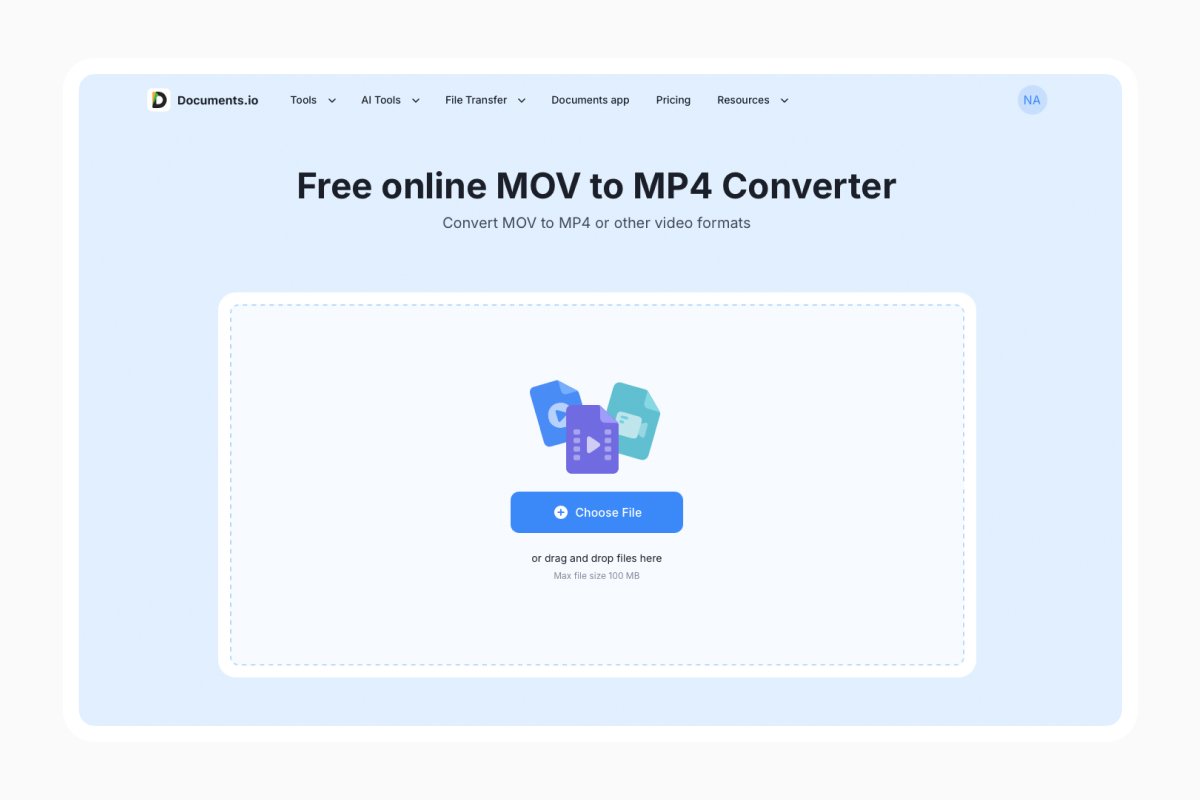
On a Mac, you can also export from QuickTime Player or Photos. If you’re familiar with the command line, this option keeps the video as-is when the codecs already fit in an MP4, so it’s fast and doesn’t lose quality:
ffmpeg -i input.mov -c copy output.mp4
Keep also in mind that any reconvert loses a little quality because the video is compressed again. At normal settings you won’t see it, but don’t do it over and over again.
How to compress a MOV file and reduce its size
Conversion and compression aren’t the same thing. Conversion changes the format, but compression only makes the file smaller.
MOV files are large for a reason. Apple puts 4K at 30 frames a second around 170 MB per minute, and 4K at 60 frames around 400 MB per minute. ProRes is even bigger since it’s built for editing and barely squeezes the video at all.
If you want to reduce the file size, you can do it in three ways. Use less data per second of video (the bitrate). A lot of footage is stored richer than a phone or laptop needs, and lowering that often halves the file with no change you can see.
Alternatively, turn 4K into 1080p. That throws away most of the pixels, but if you’re sending the video in an email, a message, or a web page, nobody’ll miss them. You can also rebuild H.264 as HEVC. You keep a similar look at about half the size, but Windows may show a black screen again, so save that trick for an archive copy, not a file you plan to send.
Documents.io’s video compressor handles file compressions in the browser, and you get up to 3 free actions per day. And if you need the file to be both smaller and universally playable, which is what most iPhone clips need, you can pair it together with conversion.
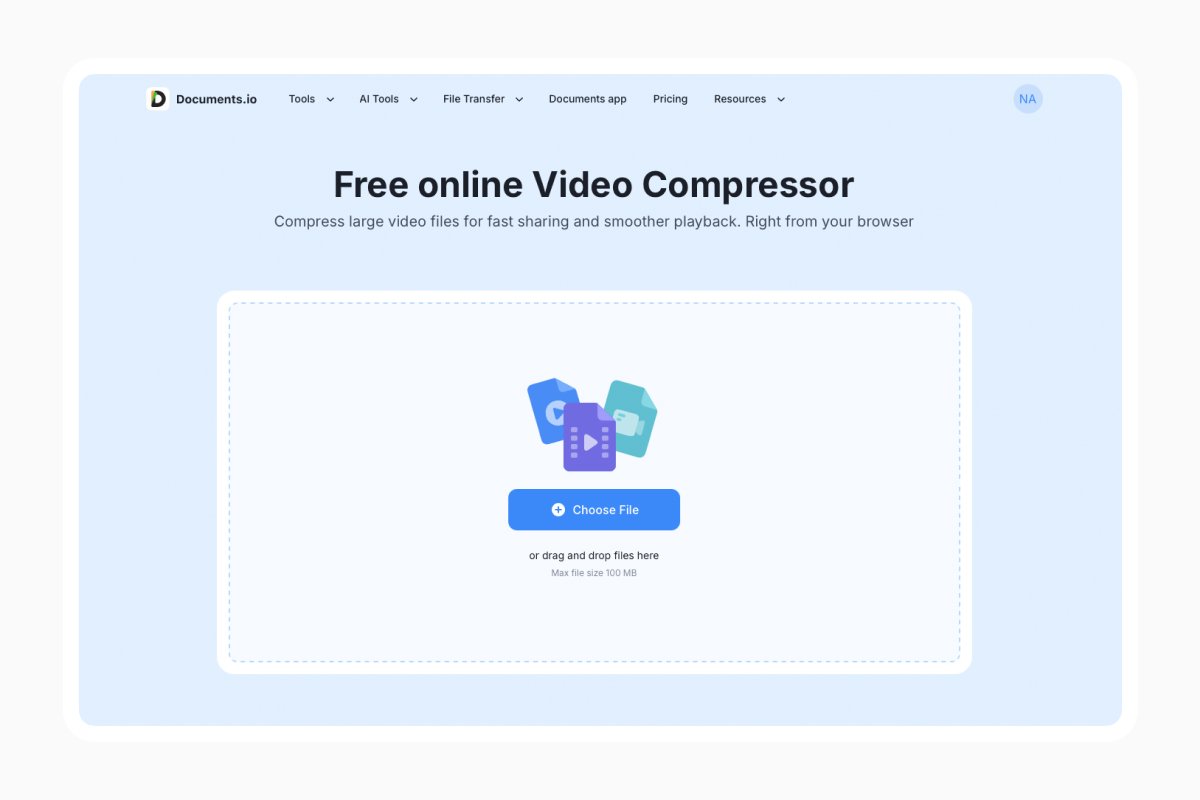
Before you compress, trim first when you can by cutting a few seconds of nothing off each end removes those frames completely.
How to fix iPhone settings
If your iPhone keeps creating videos your computer can’t play, change how the phone records them instead of converting every single clip.
Go to Settings > Camera > Formats, and select “Most Compatible” instead of “High Efficiency”. Your iPhone will now record ordinary H.264 video in a MOV file, which Windows can play in the most acceptable format, without extra add-ons.
Keep in mind though, your files will be about twice as big. So keep the High Efficiency option if you care more about storage, or if the videos will mostly stay on Apple devices. Switch to High Efficiency if you often move footage to a PC and you’re tired of workarounds.
FAQ
Is a MOV file the same as MP3?
No. MOV is a video file, and MP3 is sound only. You can pull the audio out of a MOV as an MP3, but the picture will be left behind.
Does converting MOV to MP4 lose quality?
If the video has to be compressed again, a little but not enough to see at normal settings. If the video already fits in an MP4 and is only wrapped again, you lose nothing.
Why is my MOV file so large?
Mostly high resolution and frame rate. Apple puts 4K at 60 frames a second near 400 MB per minute. ProRes files are larger on purpose.
Why does my MOV play sound but show a black screen?
The player can read the audio but not the video. That is usually HEVC. Install VLC, or convert the file to H.264.
Latest posts
Glossary
What is a DCM file, and how do you open one?
DCM files are commonly used to store medical images such as X-rays, CT scans, and MRIs. Discover what DCM files are, how they work, and which tools you can use to open and view them.
Glossary
What is a CR2 file, and should you keep it or convert it?
CR2 is a RAW image format used by Canon digital cameras to preserve detailed photo data. Discover how CR2 files work, how to open and edit them, and whether you should keep the original files or convert them to more accessible formats

Glossary
What is a FLAC file? The lossless audio format explained
FLAC is a lossless audio format that preserves original sound quality while reducing file size. Discover how FLAC files work, how they compare to MP3, and how to open, play, or convert them on different devices.