


If you’ve ever asked “what is an MP4?” you’re in good company because MP4 has quietly become the default “it just works” file for modern video.
It’s what your phone shoots, what social platforms happily ingest, and what streaming sites can deliver without melting your data plan. But the part most people miss is the twist: an MP4 isn’t the video itself. It’s the box the video comes in.
Think of MP4 as a shipping container at a port.
The container doesn’t tell you what brand of TV is inside, or whether it’s bubble-wrapped. It just standardizes the way the cargo is packed, labeled, and moved around the world.
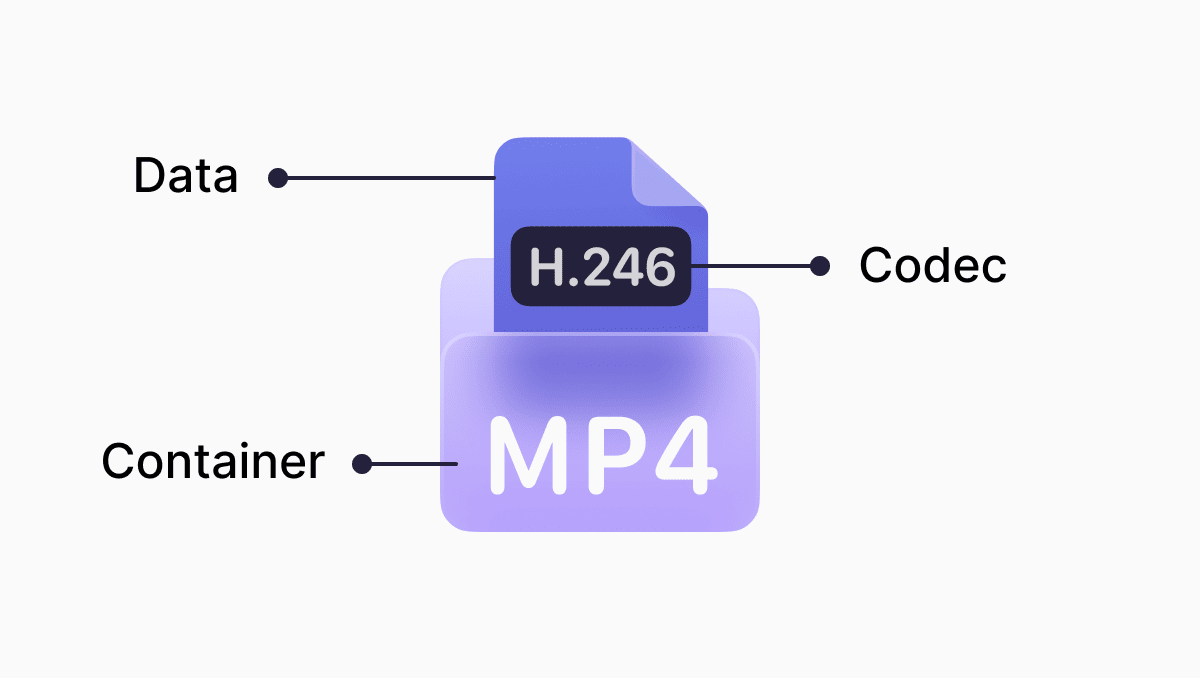
Image example - to show this example above of the container - codec - data format
In tech terms, MP4 (formally MPEG-4 Part 14) is a multimedia container format designed to hold one or more streams, usually a video track and an audio track, plus optional extras like subtitles, chapter markers, still images, and metadata.
Is MP4 video or audio?
Typically, it’s video and audio together, but it can be either depending on what’s inside. You’ll even see related extensions that hint at intent: .m4a is commonly used for audio-only MPEG-4 media, while .mp4 is the usual “this likely has video” label.
What does “MP4” actually mean?
“MP4” is shorthand for MPEG-4 Part 14, a standard built on the broader ISO Base Media File Format family (which is also related to Apple’s QuickTime-style container lineage). Translation: MP4 is a standardized way of organizing time-based media so an enormous range of devices can decode it predictably.
Is MP4 the same as MPEG-4?
Not quite. MP4 is the container; “MPEG-4” is a broader umbrella that includes multiple parts some of which are about compression and encoding methods.
In everyday conversation, people use “MPEG-4” to mean “a kind of video encoding,” but the file ending in .mp4 is the wrapper. You can have an MP4 file whose video is encoded with H.264/AVC, H.265/HEVC, or something else entirely, as long as the player understands it.
The MP4 container: what it can hold (and why it matters)
An MP4 can bundle multiple tracks in one tidy package. That includes a main video track, one or more audio tracks (say, different languages), and subtitle tracks. It can also carry metadata: the title, author, creation time, and other tags that help with organization and search. That metadata is a genuine feature, not fluff: it’s part of why MP4 plays nicely in media libraries and editing pipelines.
So yes, can MP4 hold audio and video? Absolutely! That’s the whole point. It’s a container built to combine them cleanly.
Under the hood: boxes, atoms, and the secret to smooth streaming
Here’s the geeky bit that explains MP4 playback and streaming in one go: MP4 files are made of building blocks often called boxes (or “atoms”), arranged in a hierarchy.
Some boxes describe what’s in the file and how to play it; others store the actual compressed media. You’ll commonly hear about the ftyp box (file type/compatibility), the moov box (movie metadata e.g tracks, timing, indexes), and the mdat box (the media payload: the compressed audio/video samples).
This structure is why MP4 is so good at “press play now, buffer later.”
If the file’s metadata (the moov box) is placed near the beginning, a player can learn how to decode and seek through the video without downloading the entire file first. That optimization is often called “fast start” for progressive download, and it’s a big reason MP4 feels instant on the web when it’s prepared correctly.
For modern streaming stacks, MP4 also fits neatly into segmented delivery approaches (where video is chopped into small chunks for adaptive bitrate streaming). You don’t have to know the acronyms to benefit; it’s enough to know that MP4’s predictable internal map makes it friendly to streaming workflows.
MP4 compression: the container isn’t doing the squeezing
People often say “MP4 compression,” but here’s the simple version: an MP4 is the package, not the thing doing the shrinking. The part that actually makes a video file smaller (or bigger) is how the video is saved on the inside.
That’s why you can have two files that both end in “.mp4,” and one uploads instantly and plays everywhere while another looks fine on your phone but won’t send over email, won’t upload to a site, or refuses to play on a particular device. The label on the outside is the same; what’s inside is different.
This is exactly where documents.io MP4 compressor earns its keep. If your goal is “make this MP4 smaller,” you don’t need to change the file type—you need to resave it with settings designed for sharing, streaming, or storage. In documents.io, you can compress an MP4 by choosing a smaller target size (or a quality level), and the tool handles the behind-the-scenes part of saving the video in a more efficient way.
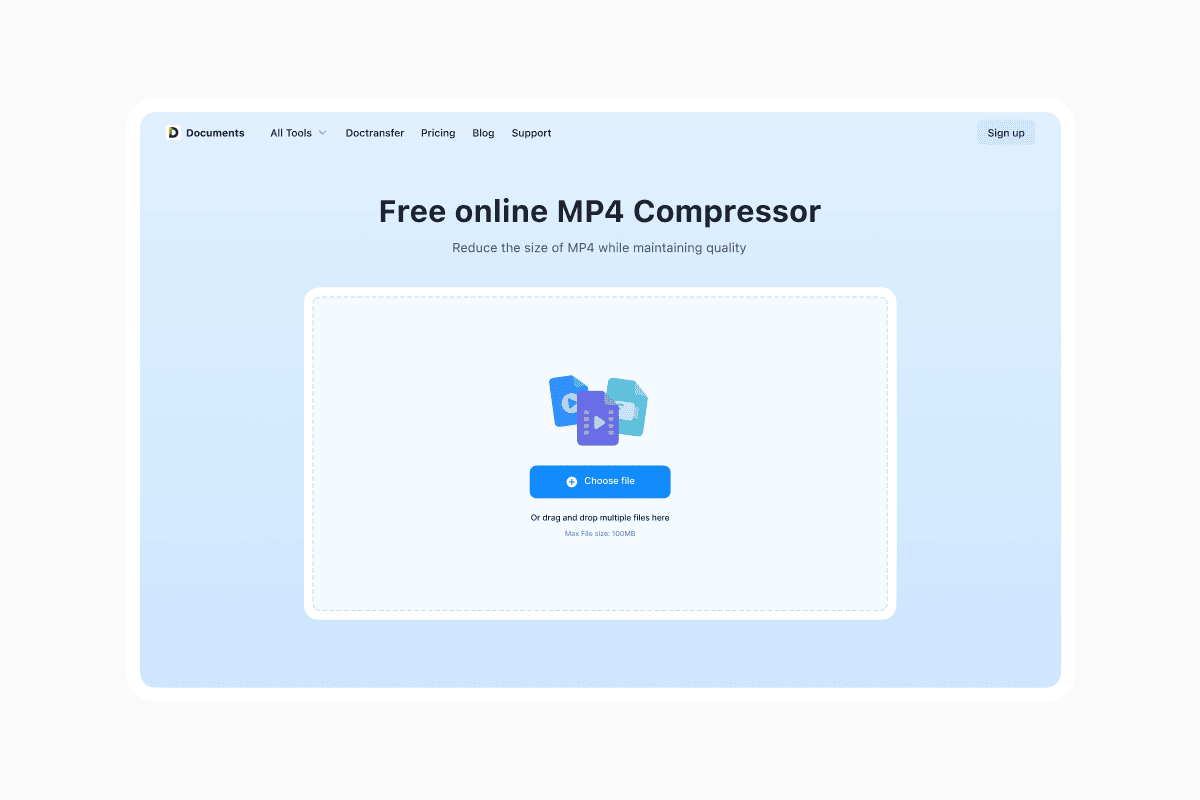
Fixing compatibility issues by converting an MP4?
If the problem is compatibility i.e an MP4 won’t play on a certain device or platform then documents.io can convert it into a more broadly supported version of MP4, so it keeps the same familiar format while becoming much more reliable to open, upload, and share.
Editing, sharing, and why MP4 is everywhere
MP4’s superpower is distribution. It’s compact, widely supported across operating systems and browsers, and easy to upload to platforms. That universality is why so many tools and services standardize on it for delivery.
For editing, MP4 is more of a “final mile” format than a dream workspace. Because common MP4 codecs are typically lossy, repeatedly exporting and re-exporting can chip away at quality over time. Many editors will work in MP4 just fine for quick cuts, but for serious projects people often transcode into an edit-friendly intermediate format during production and then export back to MP4 for publishing.
And for everyday file wrangling, MP4 is also easy to live with.
On Windows, for example, you can locate videos fast by searching File Explorer for queries like kind:video or filtering by extension (like .mp4). It’s not glamorous, but it’s the kind of practical detail that keeps MP4 in constant rotation.
Why is MP4 so popular?
Because it’s boring in the best way.
MP4 is a well-standardized container that can carry high-quality video and audio, stream efficiently when structured well, and play on almost everything people actually use. It’s the format that disappears into the background so the content can take over.
In a world where your video has to survive phones, laptops, TVs, browsers, social apps, and spotty Wi-Fi, “survives the trip” is the killer feature.
Latest posts
Glossary
What is a DOCX file, and how do you open one without Word?
Got a DOCX file but no Microsoft Word? Learn what this popular document format is and the easiest ways to open and edit it
Glossary
What is an HTML file, and what should you do with one?
Found an HTML file and not sure what to do with it? Learn what HTML files are and the easiest ways to open, view, and edit them.

Glossary
What is an EPUB file, and how do you open one on your iPhone?
Got an EPUB file on your iPhone? Learn what this popular ebook format is and the easiest ways to open and read EPUB files.