


Every time you buy a Kindle book, Amazon delivers it as an AZW3 file (but you don’t think about the file format then). The second you try to open that same file on a different device or move it outside Amazon’s world, that’s when the format suddenly becomes important.
Amazon developed the AZW3 format as its modern proprietary eBook format, optimized for Kindle devices and apps. And it’s been their standard format since 2011. Here’s a clear breakdown of what it actually is and what you can (and can’t) do with it.
What is the AZW3 file format?
AZW3 (also written as KF8, short for Kindle Format 8) is Amazon’s enhanced eBook format that replaced the older standard, AZW and MOBI.
It’s built on HTML5 and CSS3, which means it handles the formatting modern ebooks need: custom fonts, nested tables, right-to-left text for Arabic and Hebrew, and more complex page layouts than the older format could handle.
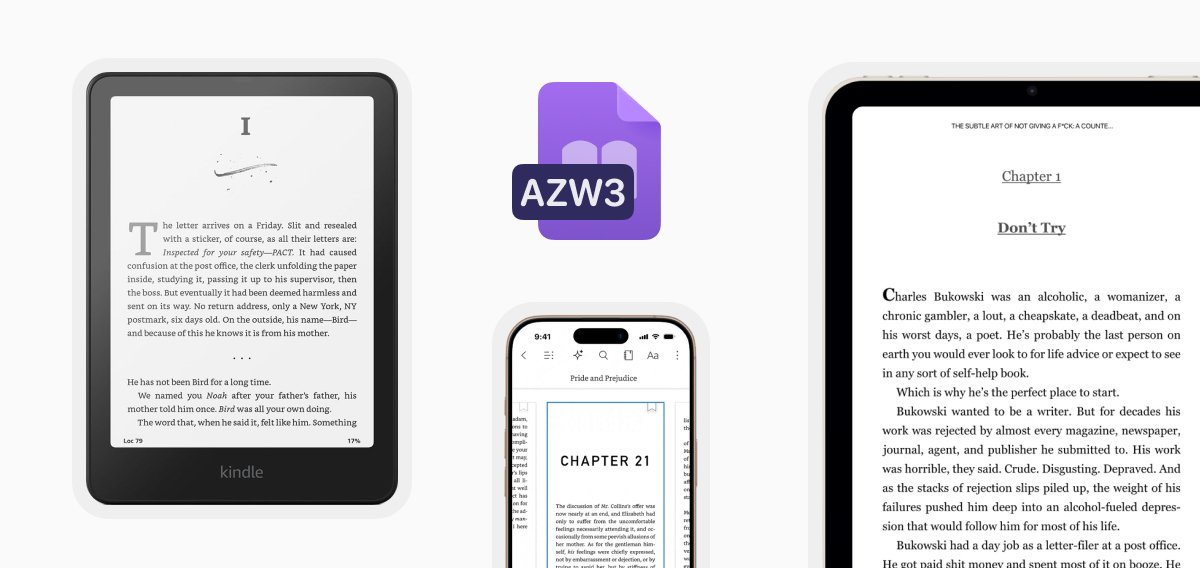
[IMAGE: AZW3 file icon, around it, several floating Kindle devices (e-reader, tablet, and phone showing the Kindle app) arranged in a clean circular orbit]
But most AZW3 files you buy from Amazon come with DRM (Digital Rights Management) protection. They’re tied to your Amazon account, so you can read them easily on Kindle devices and apps, but can’t move them freely to other platforms.
AZW3 vs. MOBI: what changed?
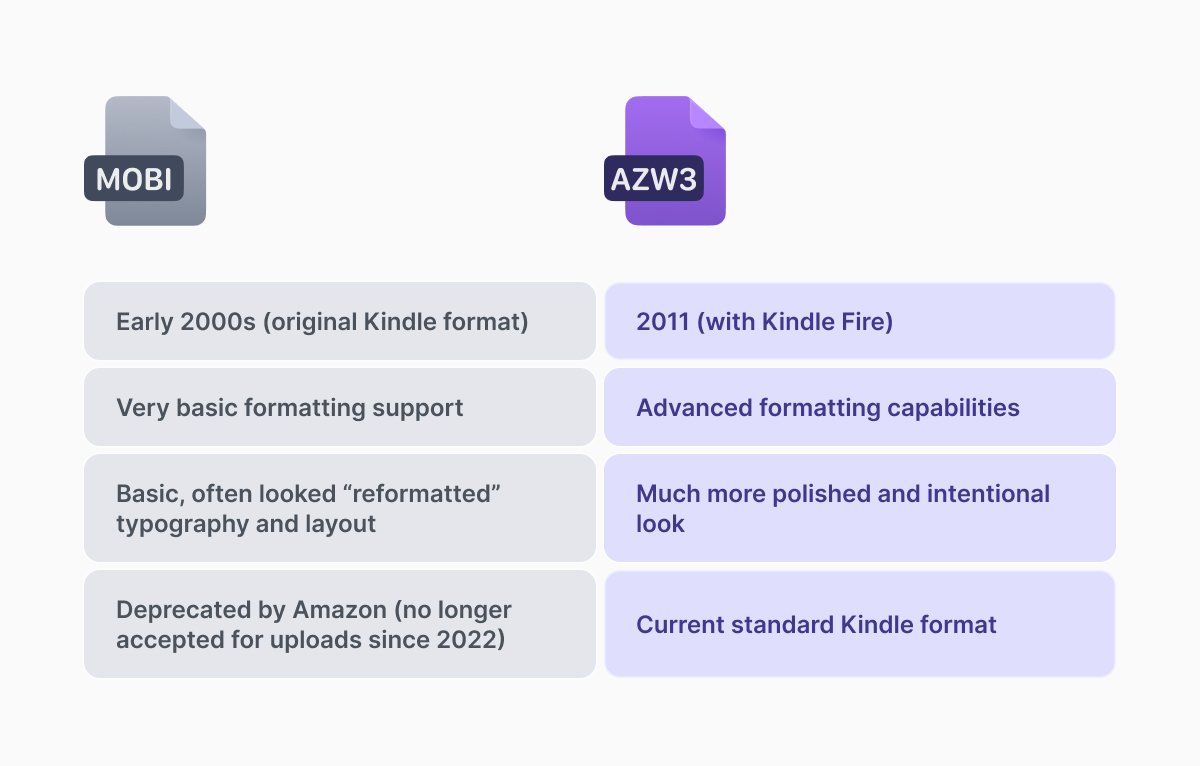
MOBI is Kindle’s original format that the e-reader used in the early 2000s. MOBI can still open some old files, but the format isn’t supported for new uploads anymore. Compared to the newer format, it has some big limitations, such as basic CSS support, minimal styling options, and issues with fixed-layout and multimedia books. This often resulted in clunky or even broken layouts, especially for image-heavy books.
When Amazon introduced the AZW3 format, they’ve come up with a solution. The new format fixed most of those problems. Because it gave publishers way more control over how the book looks, they started looking intentional and polished.
AZW3 vs. EPUB: the broader picture
EPUB is the open standard in the ebook industry, it is used literally anywhere. The format doesn’t force a fixed layout, it adapts to your reading style, supports reading tools, and maintains consistent formatting. The latest EPUB 3 has similar features to AZW3.
The big difference between where you use each of them. EPUB works on almost any reading app or device (Apple Books, Kobo, Google, and even independent ebook stores). But AZW3 can be opened only with Amazon’s Kindle.
If you want the ability to switch devices and back up your library, the best solution is to convert your AZW3 file to EPUB.
How to open an AZW3 file
If you bought the file from the Amazon library, the easiest way to open an AZW3 file is with anything Kindle-related: a Kindle e-reader, a Kindle app, or a Kindle Cloud Reader in your browser.
If the file came from outside Amazon (DRM-free ebook stores or ones you converted yourself), you can use Calibre, a free desktop software that is great for managing and converting ebooks.
Alternatively, you can convert your AZW3 file to PDF and then open it in the app you want.
How to convert AZW3 to PDF
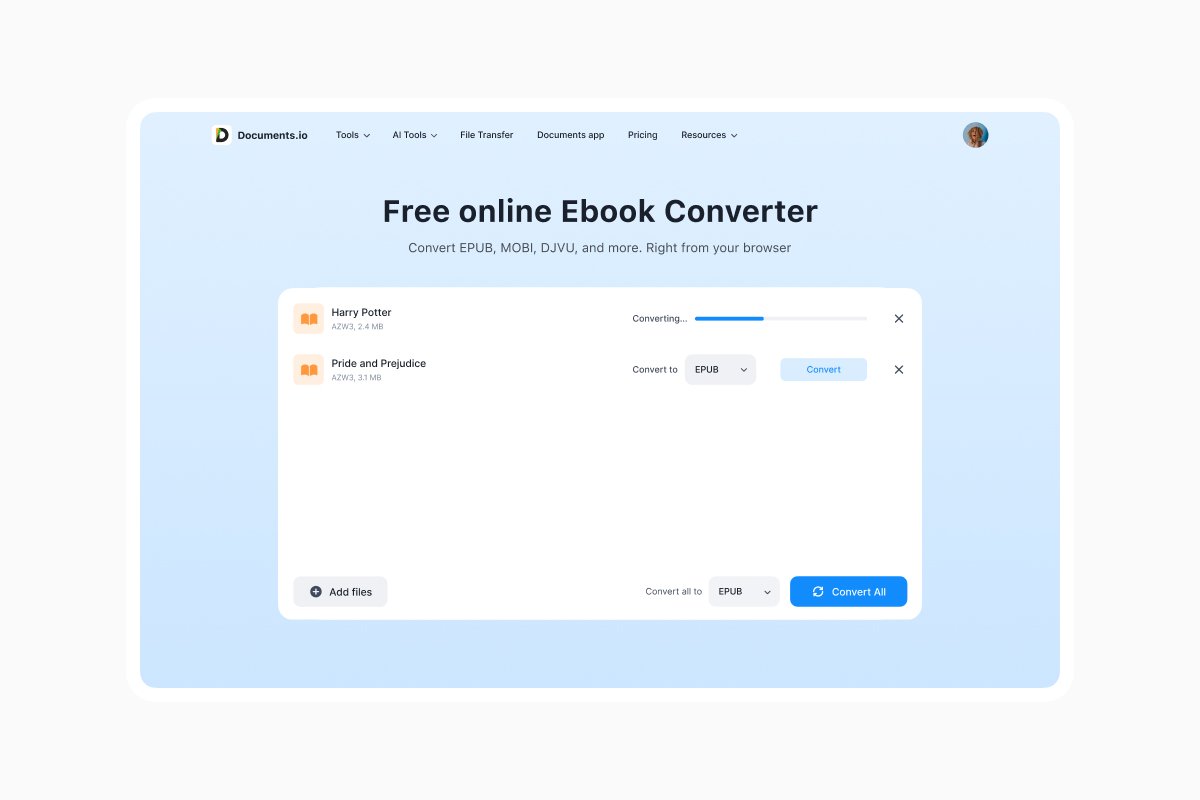
If the file has no DRM, it’s easy. Use Documents.io by Readdle in your browser.
The AZW3 to PDF converter allows you to upload your file and download the PDF a few minutes later. It’s free, and the site automatically deletes your files after 6 hours, even if you don’t have an account.
If your file is DRM-protected (like most Amazon-purchased books), it’s more difficult. Removing DRM is technically illegal under the Digital Millennium Copyright Act (DMCA) in the US, even for personal use, though laws vary by country. The EU’s copyright framework allows some exceptions for personal use, but it’s still a gray area.
How to send an AZW3 file to your Kindle
Amazon’s “Send to Kindle” feature is still one of the easiest ways to get files onto your device. You can email DRM-free AZW3 file type to your Kindle’s unique email address (yourname_1234@kindle.com). You’ll find the exact address in your Amazon account settings under Devices.
You can also use the Send to Kindle browser extension, the Kindle iOS/Android app, or the desktop application.
Only DRM-free files can be sent this way. Books you bought from Amazon are already linked to your account and sync automatically.
FAQ
Is an AZW3 file the same as a Kindle file?
Yes. It’s Amazon’s current ebook format (Kindle Format 8). Older Kindle books used MOBI or the earlier AZW format, but AZW3 has been the standard since 2011.
Can I read AZW3 files on my iPhone/Android without a Kindle?
Yes, you can read AZW3 files by using a free Kindle app on iOS, Android, Mac, or Windows.
What is better for Kindle MOBI or AZW3?
AZW3 is better. Amazon stopped accepting MOBI for new uploads in 2022.
Is it legal to convert AZW3 files?
If the file is DRM-free, then converting it is legal. You bought it, it’s yours to use as you like. If your files are DRM-protected, it becomes a grey area. In the US, stripping DRM is illegal under the DMCA, even if you own the book.
What to do if my file is DRM-protected?
The simplest and fully legal option is to just read it in the official Kindle app or on a Kindle device. If you want to read a DRM-protected book outside Amazon’s ecosystem, there’s no legal way to remove the DRM. You can use the Kindle app for your Amazon books and a separate e-reader for everything else.
Latest posts
Glossary
What is a HEIC File? HEIC vs JPEG, How to open & convert it
Learn what a HEIC file is, why iPhones use the HEIC image format, how to open HEIC files on Windows or Mac, and how to convert HEIC to JPG or PNG.
Glossary
What is a DOCX file, and how do you open one without Word?
Got a DOCX file but no Microsoft Word? Learn what this popular document format is and the easiest ways to open and edit it
Glossary
What is an HTML file, and what should you do with one?
Found an HTML file and not sure what to do with it? Learn what HTML files are and the easiest ways to open, view, and edit them.