


If you buy an album from iTunes or download a track from a store that isn’t selling MP3s, you’ll get an .m4a. The same thing happens if you record a voice memo on your phone or run an old file through audio software to clean it up or trim it.
M4A has a reputation as an Apple-only format that causes trouble everywhere else. That was true around 2008. It’s mostly folklore now, and knowing which parts are still true saves you from converting files that didn’t need converting.
What is an M4A file
M4A is MPEG-4 Audio. It’s often called the “Apple format,” because Apple started using it for audio-only MPEG-4 files. Usually, if you simply change the extension to .mp4, most players will open and play your file.
Inside, M4A contains the Advanced Audio Coding (AAC) codec or sometimes ALAC, Apple’s lossless codec, which compresses without discarding anything.
Your iPhone makes this decision for you in Settings > Voice Memos > Audio Quality. The default, Compressed, gives you AAC at roughly half a megabyte per minute. Switch to Lossless and the same minute of recording takes closer to three megabytes, arriving as ALAC in a file with the identical extension.
Apple loves AAC because it delivers better sound quality than MP3 at the same bitrate. This means you can have smaller files that still sound fantastic.
M4A vs MP3 vs WAV
|
M4A |
MP3 |
WAV |
|
|
What it is |
Lossy, compressed |
Lossy, compressed |
Uncompressed PCM |
|
One hour of speech |
Roughly 30 MB |
Roughly 55 MB at 128 kbps |
Around 600 MB at CD quality |
|
Quality per megabyte |
Better than MP3, especially at low bitrates |
Adequate, and everyone knows it |
Perfect, and enormous |
|
Where it plays |
Every phone, every modern OS, most software |
Everything, including 2004 |
Everything, though nobody wants a 600 MB email |
|
Reach for it when |
Recording and storing |
Sending to someone or something fussy |
Editing in a DAW or handing to a lab |
But if M4A is better than MP3, why does MP3 still win arguments? It became cheap and popular because it was first. Fraunhofer and Technicolor have discontinued the MP3 licensing program once the last patent in it has expired, and any developer may now legally incorporate MP3 support into anything.
Why M4A files might not open
Your M4A files might not open on your device for several reasons.
For instance, your software might be too old. Android has supported AAC in .m4a for a while now, and it’s listed in Google’s own table of core media formats. Any Android phone made this decade plays your voice memo without help.
Another reason is that it might be protected. Apple Music downloads are DRM-locked and play only in the Music app, no matter what you rename them. Purchases from the iTunes Store have been DRM-free since 2009, so those travel fine.
Or, it could simply be that the download wasn’t finished. A file synced from iCloud can look present and be a placeholder. Play it through once on the device before you export or share it.
How to play an M4A file
On iPhone and iPad, tap it. Files plays M4A in preview, and so do Mail and Messages. For anything beyond a quick listen.
On a Mac, Music or QuickTime. On Windows, Media Player handles it. On Android, the built-in player works, and VLC covers whatever it doesn’t. VLC is also the safest answer for any desktop where you’d rather not install something from a search result.
How to convert an M4A to MP3
If the system on your end requires your file to be in the MP3 format, you can convert it with the M4A to MP4 converter.
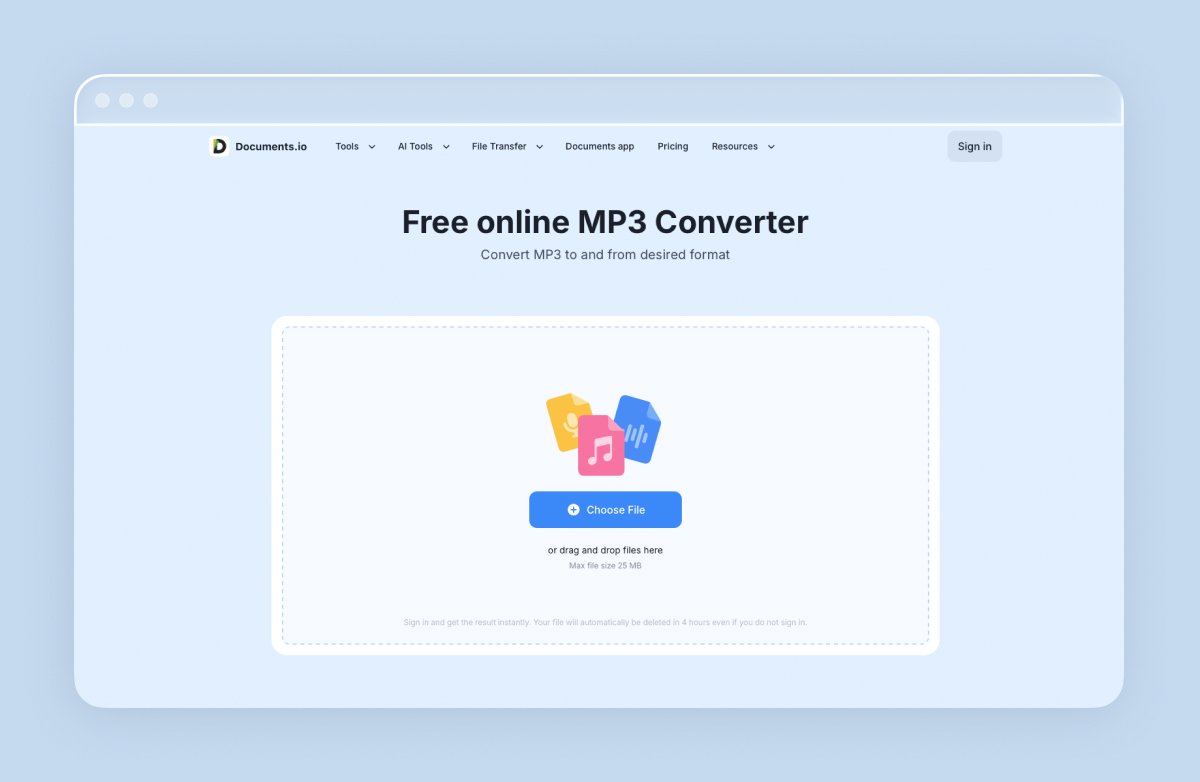
Documents.io allows you to do a lossy-to-lossy conversion and securely delivers a new file. The website doesn’t save your file, only up to 4 hours, in case you don’t have an account. Plus, you can get 10 free conversions.
How to transcribe an M4A file
Most people converting M4A files to MP3 don’t want an MP3. They want the words.
If the recording came from Voice Memos, your phone has already done it. Apple’s transcription feature runs on iPhone 12 and later in ten languages, including English, Spanish, French, German, Portuguese, Italian, Japanese, Korean, and both Chinese variants. Open the recording, tap the three dots, and choose View Transcript. Recordings made before you updated get transcribed automatically the first time you open them.
Don’t convert the file first. Speech recognition doesn’t benefit, and re-encoding gives it slightly worse audio to work from.
How to edit an M4A file
Voice Memos handles the basics: trim the silence at the start, cut a section, record over part of it. Enough for tidying up a memo before you send it.
Every save re-encodes lossy audio, so do your cuts in one session, from the original file, and export once. Trimming a file, saving it, reopening it, and trimming again is four generations of quality loss to remove ninety seconds of throat-clearing.
FAQ
Is M4A better than MP3?
At the same bitrate, yes, AAC audio in an M4A file generally sounds better than MP3, and the gap widens as the bitrate drops. MP3’s advantage is that it plays on absolutely everything, including hardware built before AAC existed. Use M4A for recording and storage, MP3 when compatibility is the whole problem.
Does converting M4A to MP3 lose quality?
Yes, a little, every time. Both formats are lossy, so the conversion discards a second round of detail. For speech at a sensible bitrate the difference is inaudible. Repeated conversions stack up, which is why the original file is worth keeping.
Can Android open M4A files?
Yes. Android has decoded AAC in .m4a containers since 2011, and it’s in Google’s official list of supported media formats. If a specific app refuses the file, that app is the problem, not the phone.
Can I email an M4A file?
Yes, though a long recording will hit attachment limits fast. An hour of compressed audio runs around 30 MB, which is above Gmail’s inline limit and well above some corporate mail servers. Share a cloud link instead, or trim the recording to the part that matters.
Latest posts
Glossary
What is a DOCX file, and how do you open one without Word?
Got a DOCX file but no Microsoft Word? Learn what this popular document format is and the easiest ways to open and edit it
Glossary
What is an HTML file, and what should you do with one?
Found an HTML file and not sure what to do with it? Learn what HTML files are and the easiest ways to open, view, and edit them.
Glossary
What is an EPUB file, and how do you open one on your iPhone?
Got an EPUB file on your iPhone? Learn what this popular ebook format is and the easiest ways to open and read EPUB files.