


Where does the .html file usually come from?
Two reasons you might actually receive one: you saved a webpage for offline reading and now there’s a file sitting in Downloads that looks like a document but isn’t one or you’ve received one as an email attachment. The second is not so harmless, and it’s worth knowing which situation you’re in before you double-click anything.
Let’s dive deeper into the HTML definition and where to use it safely.
What is an HTML file?
An HTML file is a plain text file. If you rename it to .txt, you will see that everything’s still there, just messier.
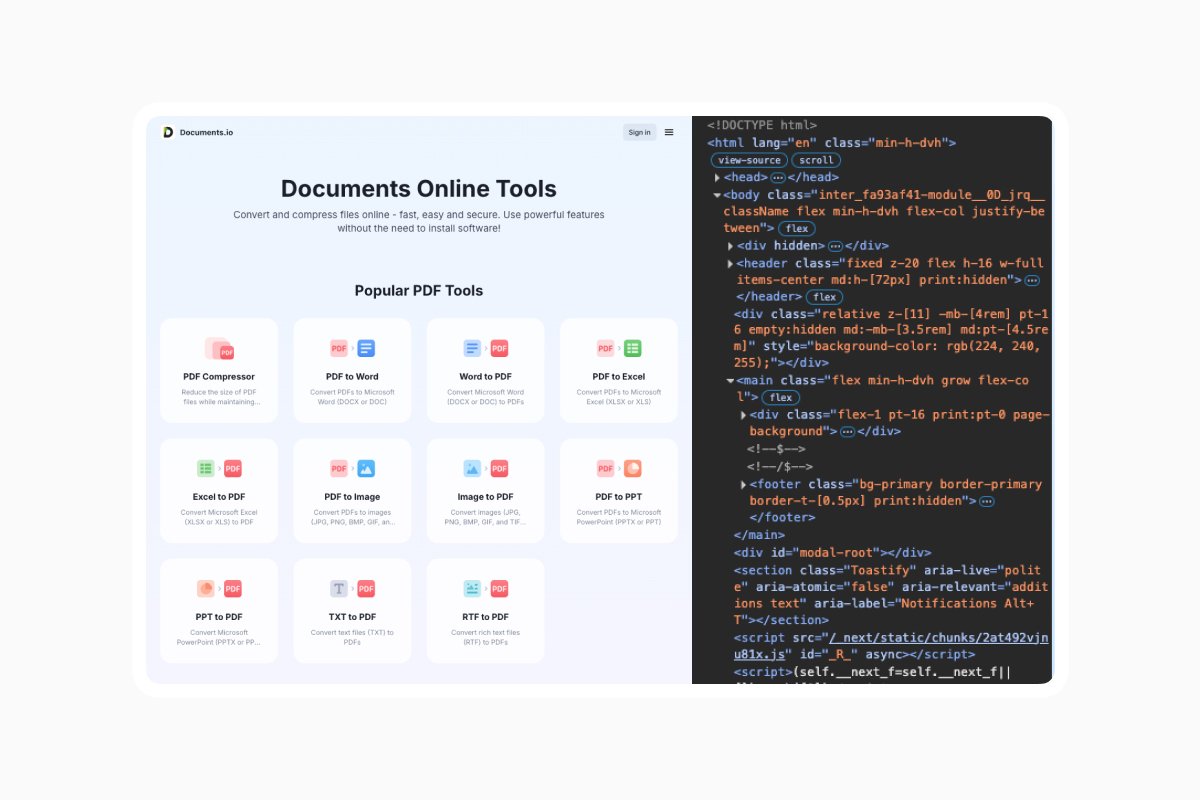
What makes HTML special is the tags that mark up which bits of text are headings, which are paragraphs, and which are links. When you open such a file, a browser reads those labels and draws a page accordingly.
HyperText Markup Language is what HTML stands for: “Markup” means the tagging part of the language and “HyperText” is the linking, the thing that made the web a web rather than a pile of documents.
Every webpage you’ve ever loaded is one of these files. Your browser downloads it, reads the tags, fetches whatever images and stylesheets it references, and assembles the result. The file you have in Downloads is the same species as the page you’re reading now, just not hosted on a server.
How to open an HTML file
There are several ways to open an HTML file, depending on your device. In Chrome, or any browser for that matter, simply double-click it. If your computer sends it somewhere else, drag the file onto an open browser window instead, or use Ctrl+O (Cmd+O on a Mac) and select it from the dialog. You should see the address bar display a path beginning with file:///, indicating that the page originated from your disk.
On iPhone and iPad, you can tap it in Files and iOS gives you a preview, but there’s a caveat: the Quick Look preview displays a text-only version, removing images and other media entirely.
And on Android, most file managers will offer Chrome when you tap an HTML file. If yours doesn’t, share the file to Chrome directly.
Before you open HTML, check where it came from
HTML attachments are the phishing tool of choice right now. Barracuda’s 2025 Email Threats Report found that 23% of HTML attachments were malicious, making HTML the most weaponized text file type by some distance. More than three-quarters of all malicious files detected in that dataset were HTML files.
The reason attackers like them is because an HTML file can contain a pixel-perfect copy of a Microsoft or DocuSign login page on your own hard drive, with nothing for a link scanner to inspect because there’s no link until you open it. You see a familiar sign-in box, you type your password, and it goes somewhere it shouldn’t.
Signals that an HTML attachment is a problem:
- You weren’t expecting an email about an invoice, a shared document, a voicemail, a delivery, or a signature request.
- It makes you log in to something after you open it. Nothing on your computer is going to need your password.
- The sender’s email address doesn’t match the company it claims to be from, or is a misspelling or a similar-looking real domain.
- There’s a double extension, like invoice.pdf.html.
Why the page looks broken when you open it
If you open the file and see unstyled text and broken links, don’t immediately think the file is damaged.
When a browser saves a webpage as HTML, it also places the images, CSS, and scripts in a separate folder. The HTML file references that folder, so if you send it alone by email or transfer it without the folder, the browser will be left with nothing to show.
So, keep the file and its folder together and zip them if you need to send them. Or save the page in a format that bundles everything into one file.
How to save an HTML file (and what to save it as)
If your goal is to keep a webpage for later, HTML is often the wrong choice. Here’s what the alternatives actually do:
|
Format |
What you get |
Best for |
|
HTML |
The markup only, plus a companion folder of assets |
Editing the page, or feeding it to other software |
|
Web Archive (.webarchive) |
Page and all its assets in one file |
Keeping something intact on Apple devices |
|
|
A frozen snapshot with fixed layout |
Sending to someone, printing, filing, signing |
If you want to send the document later, it’s best to convert HTML to PDF. With the help of Documents.io, you can convert up to 10 files for free directly in your browser.
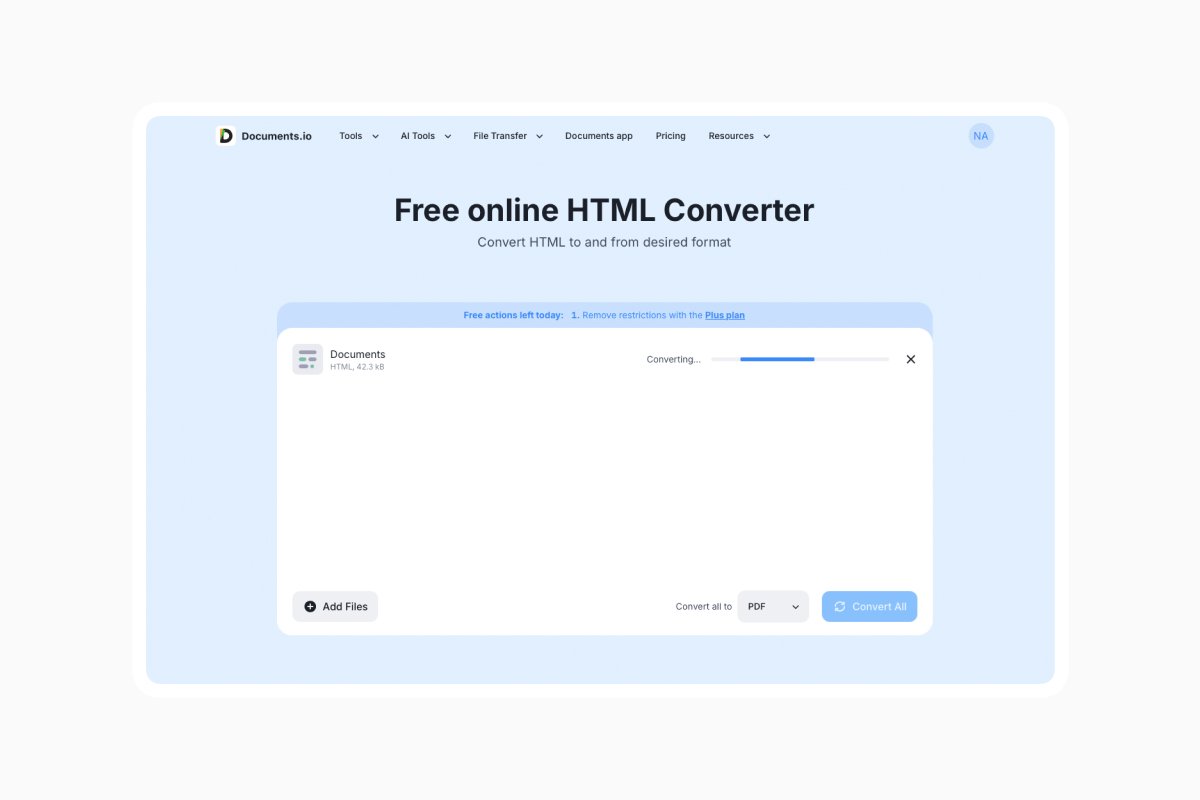
The online HTML converter stores your files only for 4 hours (so you can still download them if you don’t use them immediately), after which they are permanently deleted. You can handle your files safely without worrying about them staying online.
How to edit an HTML file
You can use any text editor, such as Notepad and TextEdit. However, there are three things to keep in mind:
- TextEdit hides the code from you. Open an .html file on a Mac and TextEdit shows you the rendered page rather than the markup, which is the opposite of what you need when you’re trying to edit it. Go to Format > Make Plain Text before you start, or choose Format > Prevent Automatic Substitution to stop it from changing your quotes into curly quotes.
- Most tags come in pairs, and removing half of one will break everything below it.
- Make a copy before you do anything. HTML has no undo history once the file is written.
If you’re just making a tweak to reword a template or fix a typo in an export, that’s all you need. If you’re building something, it’s better to learn the actual language.
FAQ
Is it safe to open an HTML file?
One you saved yourself, yes. One that arrived unexpectedly by email, no. Opening the file in a text editor rather than a browser lets you inspect it without rendering anything.
Why does my HTML file open in a text editor instead of a browser?
Your computer’s default app for that extension got changed at some point. Right-click, Open With, choose a browser, and tick the box to make it the default if you want the change to stick.
Is an “HTML5 file” a different thing?
No, an HTML5 file is just an HTML file.
Can I convert an HTML file to PDF?
Yes, and it’s usually the better format if the file is going to another person. Any browser can do it through Print > Save as PDF. You can also use Documents.io’s online converter.
Why do my images disappear when I email an HTML file?
Because they were never in the file. HTML references images that live elsewhere, usually in a companion folder saved alongside it. Send the folder too, zip both together, or save the page as a PDF or web archive instead.
Do I need special software to open an HTML file?
No. Every device you own already has a browser, and that’s the only tool required. Text editors handle the code side, and there’s nothing to install for either job.
Latest posts
Glossary
What is a DOCX file, and how do you open one without Word?
Got a DOCX file but no Microsoft Word? Learn what this popular document format is and the easiest ways to open and edit it
Glossary
What is an EPUB file, and how do you open one on your iPhone?
Got an EPUB file on your iPhone? Learn what this popular ebook format is and the easiest ways to open and read EPUB files.
Glossary
What is an M4A file, and how do you convert one to MP3?
Got an M4A file but need an MP3? Learn what the M4A format is and the easiest ways to convert M4A files to MP3.