


MOBI spent a solid decade and a half as the go-to Kindle format, and for anyone sharing books outside the Amazon store, it was the only sensible choice. Then Amazon quietly retired the format, and plenty of perfectly good ebook libraries suddenly became awkward to use.
Here’s what a MOBI file is, why modern Kindles no longer accept them, and the quickest ways to open, read, or convert one on whatever device you have.
What is MOBI format?
MOBI is an ebook format: a single file that holds a book’s text, cover, chapters, and table of contents so a reading app can reflow the words to fit any screen.
If a PDF includes fixed pages, you end up pinching and scrolling sideways on a phone. A MOBI file doesn’t have pages until your device renders them, that’s why you can change the font size on an e-reader and the text simply reflows.
The name comes from Mobipocket, the French company that created the format in 2000 for Palm Pilots and early smartphones. Amazon bought Mobipocket in 2005, two years before the first Kindle was introduced, and built its entire ebook system on that software. Amazon’s own AZW format was basically a MOBI file with DRM applied, which is why they behave so similarly.
So when people ask what MOBI format is for ebooks, the answer is: it’s the format Kindle used to use.
Why Amazon dropped MOBI
In 2022, Amazon announced that Kindle would start accepting EPUB files and stop accepting MOBI. MOBI was 22 years older than the features Amazon wanted to support, and it couldn’t properly support custom fonts or modern layout options.
Any MOBI books already in your Kindle library stayed there and still work. What stopped working is adding new ones. The Send to Kindle service (email, website, or app) no longer accepts .mobi files.
For 15 years, the standard advice was “convert it to MOBI so your Kindle can read it.” Now the advice is the exact opposite.
MOBI vs EPUB vs Kindle vs PDF
Four formats turn up in most ebook folders, and they aren’t really competing for the same job.
|
MOBI |
EPUB |
Kindle |
|
|
|
Created |
2000 |
2007 |
2011 |
1993 |
|
Still developed |
No |
Yes |
Yes |
Yes |
|
Text reflows to fit the screen |
Yes |
Yes |
Yes |
No |
|
Accepted by Send to Kindle |
No |
Yes |
Already native |
Yes |
|
Works on Kobo, Nook, PocketBook |
Rarely |
Yes |
No |
Yes |
|
Custom fonts and modern layout |
Limited |
Yes |
Yes |
Fixed pages only |
If you ask us what the best e-reader format is, we’ll instantly say EPUB. It’s an open standard, every e-reader that isn’t a Kindle uses it natively, and Kindles now accept it too.
How to read a MOBI file on a computer
On Windows, Mac, or Linux, use Calibre. It’s free and it’s been maintained for nearly 20 years, and since it’s a library manager, it will help you sort and convert all your 300+ e-books between formats in bulk.
For something lighter, the Kindle desktop app will display MOBI files you own, and various small e-readers on the Microsoft Store and Mac App Store also can handle the format. When all you want to do is see what’s inside a file before you decide what to do with it, converting it to PDF in your browser is frequently easier than downloading anything.
How to open MOBI files on Android
Android doesn’t read MOBI by default. The good news, you can use third-party apps like Librera and ReadEra. They both handle MOBI along with EPUB, PDF, FB2, and DJVU. Install either one, point it at your Downloads folder, and it’ll find the books. Moon+ Reader is the paid-ish option with more customization.
The Kindle app for Android is not the answer here, since it only shows books in your Amazon library and won’t open a loose MOBI from your file system.
If you got the file by email or download, it’s probably in /Downloads. Most of these apps scan your whole device on first launch and build a library automatically, saving you the trouble of searching.
How to read MOBI on an iPhone or iPad
Apple Books doesn’t support MOBI. Tap a .mobi file in the Files app and iOS will offer to open it in something, but Books won’t be on the list because the format isn’t part of Apple’s ecosystem.
Instead, you can use a third-party reader or convert MOBI to EPUB. The latter is the better route on iOS, because once converted, the book opens in Apple Books, syncs across your devices, remembers your place, and behaves like any book you bought.
How to send a MOBI file to Kindle
You can’t, at least not directly. Send to Kindle stopped accepting .mobi and .azw files, and emailing one to your Kindle address now gets you either an error or silence.
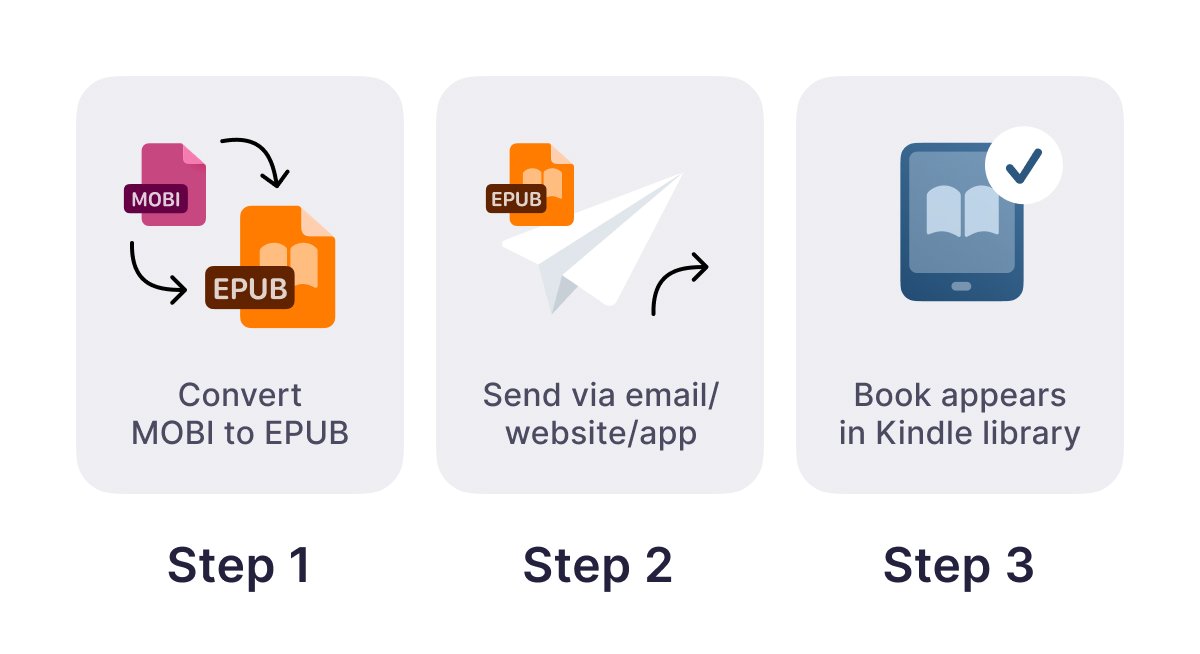
The workaround takes about a minute:
- Convert the MOBI file to EPUB.
- Email the EPUB to your Kindle address, or use the Send to Kindle website or app.
- It arrives in your library, converted to Amazon’s current format on their end.
If you’d rather not use email, you can also plug the Kindle into a computer with a USB cable and drop files into its documents folder. Sideloading over USB still works for personal files, though EPUB is the safer choice there, too.
Send to Kindle caps individual files at 200 MB, which no novel will come close to, but an illustrated book or a scanned volume might.
Converting MOBI files with Documents.io
Documents.io handles this in a browser, which is the main reason to use it over a desktop program. It works the same on an iPhone as on a laptop, so if the MOBI arrives as an email attachment on your phone, you can deal with it on your phone.
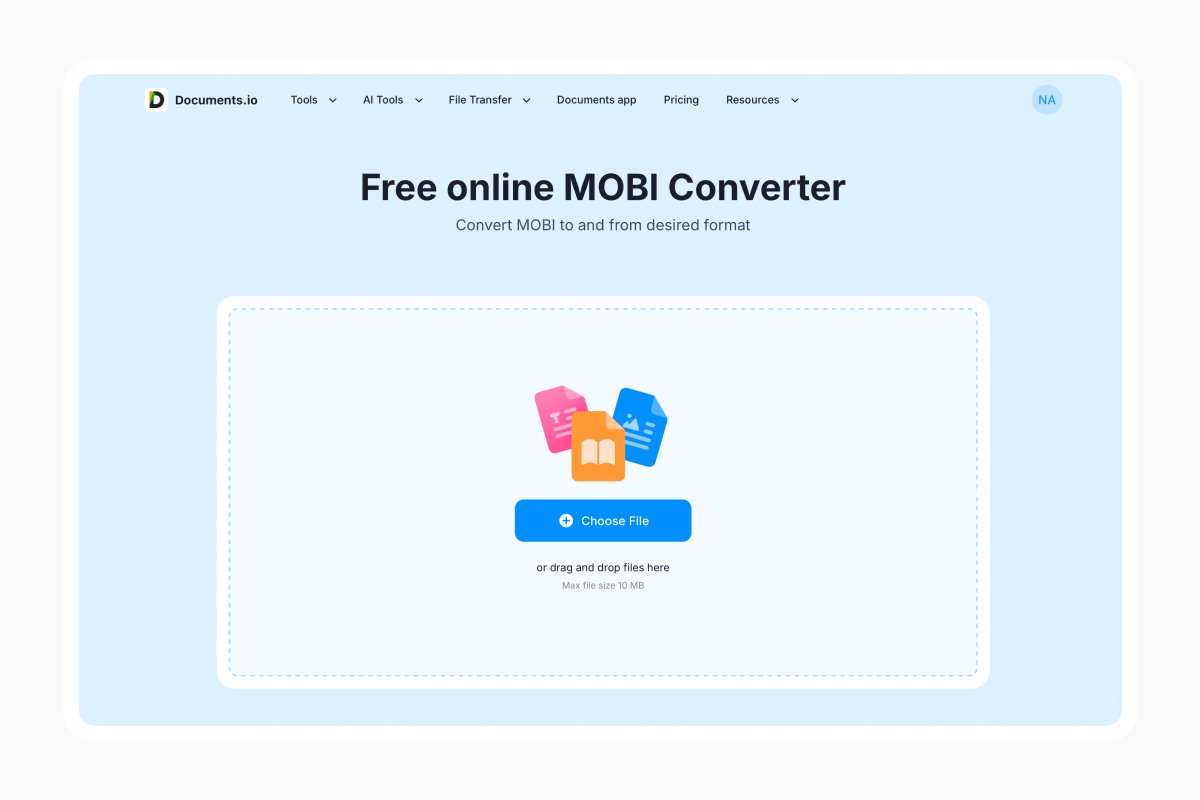
Open the ebook converter and add your file, then pick your output format, convert and download. Uploads are deleted after four hours, and the free tier covers a few conversions a day, which is enough for the occasional book.
Conversion is very reliable for ordinary novels, which are mostly just text and chapter breaks. Keep in mind that for heavily formatted books, technical manuals, cookbooks, or anything with complex tables for that matter, may behave less predictable when converting.
FAQ
Can Kindle still read MOBI files?
MOBI books already in your Kindle library still work. What you can’t do anymore is send new ones through Send to Kindle. Convert to EPUB first.
What’s the difference between MOBI and EPUB?
They do the same job, but EPUB is an open standard that’s still being developed and works on essentially every e-reader, including Kindles now. MOBI is retired. For anything new, use EPUB.
Is MOBI better quality than EPUB?
No. Both store the same text, and neither loses anything the way an image or audio format might. EPUB handles fonts and layout better, but for a plain novel the reading experience is effectively identical.
Why won’t my MOBI file convert?
Almost always copy protection. Files bought from a store carry DRM (Digital Rights Management) that blocks conversion. A file that’s genuinely damaged will also fail, but that’s rarer.
Latest posts
Glossary
What is a DCM file, and how do you open one?
DCM files are commonly used to store medical images such as X-rays, CT scans, and MRIs. Discover what DCM files are, how they work, and which tools you can use to open and view them.
Glossary
What is a CR2 file, and should you keep it or convert it?
CR2 is a RAW image format used by Canon digital cameras to preserve detailed photo data. Discover how CR2 files work, how to open and edit them, and whether you should keep the original files or convert them to more accessible formats
Glossary
What is a FLAC file? The lossless audio format explained
FLAC is a lossless audio format that preserves original sound quality while reducing file size. Discover how FLAC files work, how they compare to MP3, and how to open, play, or convert them on different devices.