


The iPhone Duo brings a bigger, foldable screen to your pocket. And Documents is ready to make the most of it.
With split view, an enhanced file manager, and optimized document and video viewers, Documents turns your iPhone into a workspace that feels closer to an iPad, without carrying one.
Work side by side with split view
With Documents on iPhone Duo, you can work across two apps without constantly switching between them.
Open Mail and Documents side by side, drag a PDF attachment into Documents, and sign it. Or keep a Slack or Teams conversation open while reviewing and annotating a shared file.
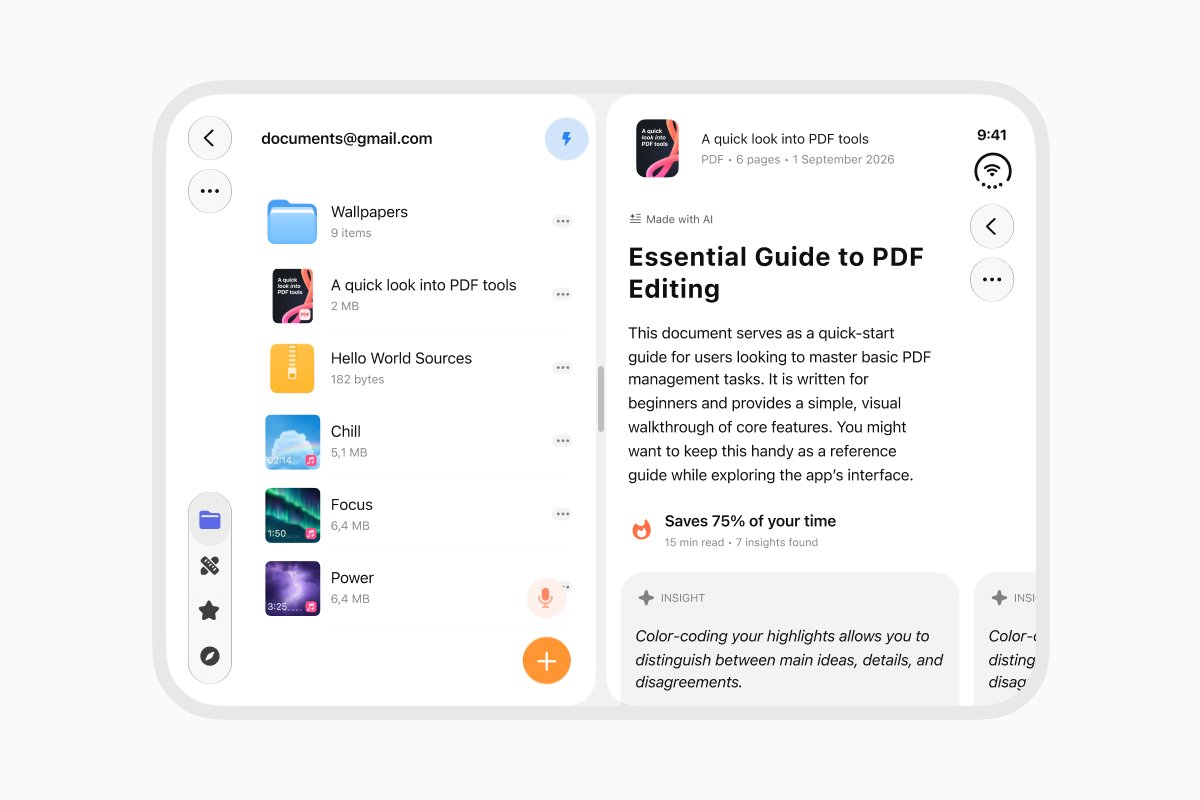
You can also open two Documents windows side by side to browse different folders, compare files, and organize your content more easily.
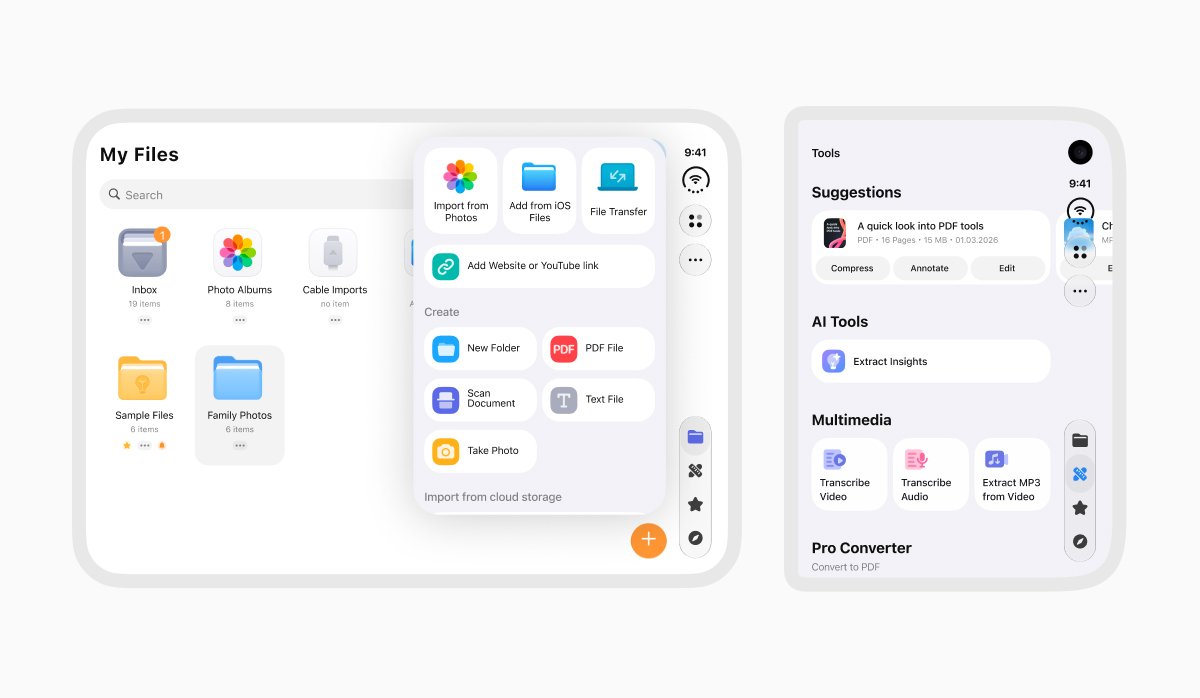
The larger display also gives you more room to manage your files. Browse your Downloads folder, find the right version of a document, or organize files across local storage and cloud services like iCloud, Dropbox, and Google Drive, with less scrolling and fewer taps.
More space to read, watch, and enjoy
PDFs, text documents, and eBooks are easier to read on iPhone Duo's expanded display. Read reports without constantly zooming, highlight important passages, or annotate documents directly. You can also enjoy eBooks on a screen that feels more like a real book.
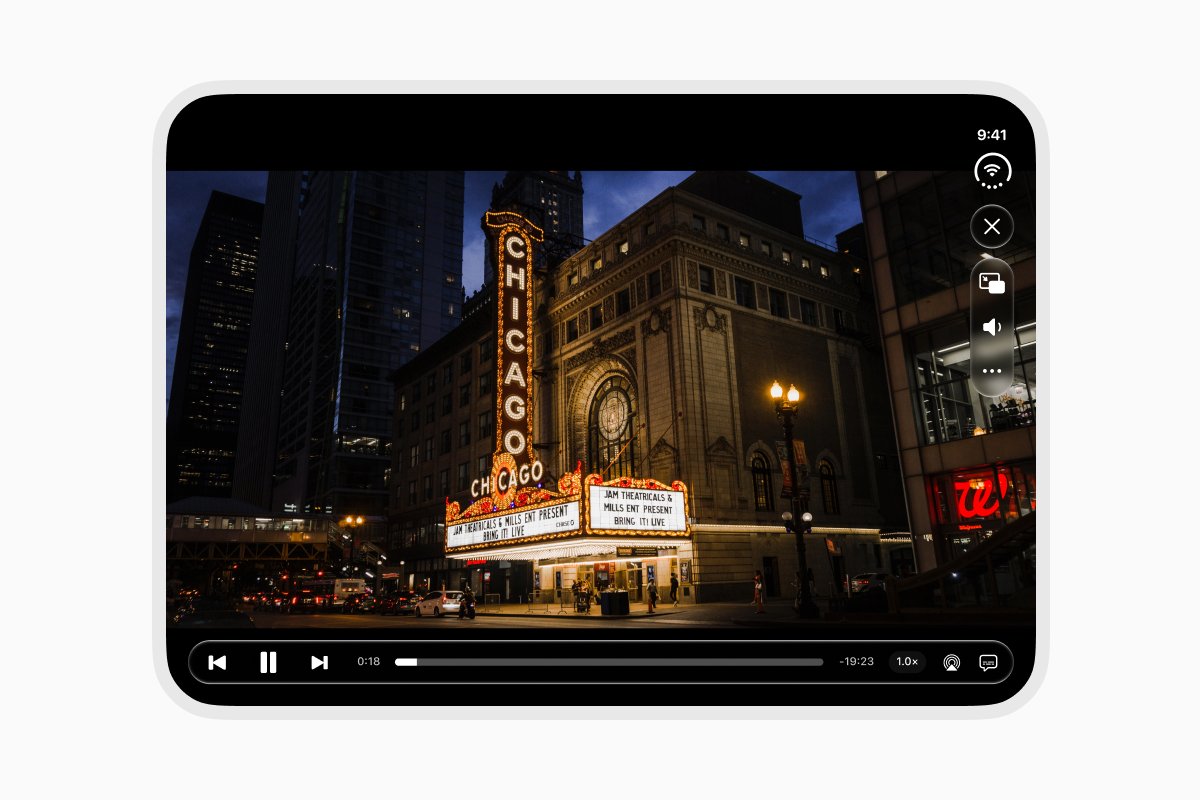
Documents' video player is optimized for the wider display, too. Watch movies, follow online courses, or play tutorials with more room to see the details and controls that stay out of the way.
Documents brings file management, multitasking, reading, and video playback together on iPhone Duo, making it easier to get more done from your phone.
Unfold your workspace with Documents.
Latest posts

What's new
Documents is ready for iOS 27: bigger widgets, smarter Shortcuts, and Siri
Get more done with Documents on iOS 27. See more from your Home Screen, automate file tasks with upgraded Shortcuts, and use Siri to work with your files.

What's new
Smart Insights: understand any file in one tap
Instantly analyze and break down any document with Smart Insights. Get key takeaways, summaries, and instant file understanding in just one tap.

What's new
Convert and compress files without leaving Documents
Stop app-hopping just to manage your files. Learn how to instantly compress heavy documents and convert file formats on the fly without ever leaving the Documents app