


Working with files on your phone should be simple. But sometimes a quick task turns into a detour. Sometimes that means changing its format before sending it. Sometimes it means making it smaller to fit an upload limit or save space. Until now, those tasks often meant leaving your file manager to find a separate tool.
The latest update to Documents brings those tasks into the app.
You can now convert and compress audio, video, and image files directly in Documents. Together with the PDF conversion tools already available, Documents gives you everything you need to transform your files in one place.
Convert files in one tap
Changing a file format is now as simple as opening the file itself.
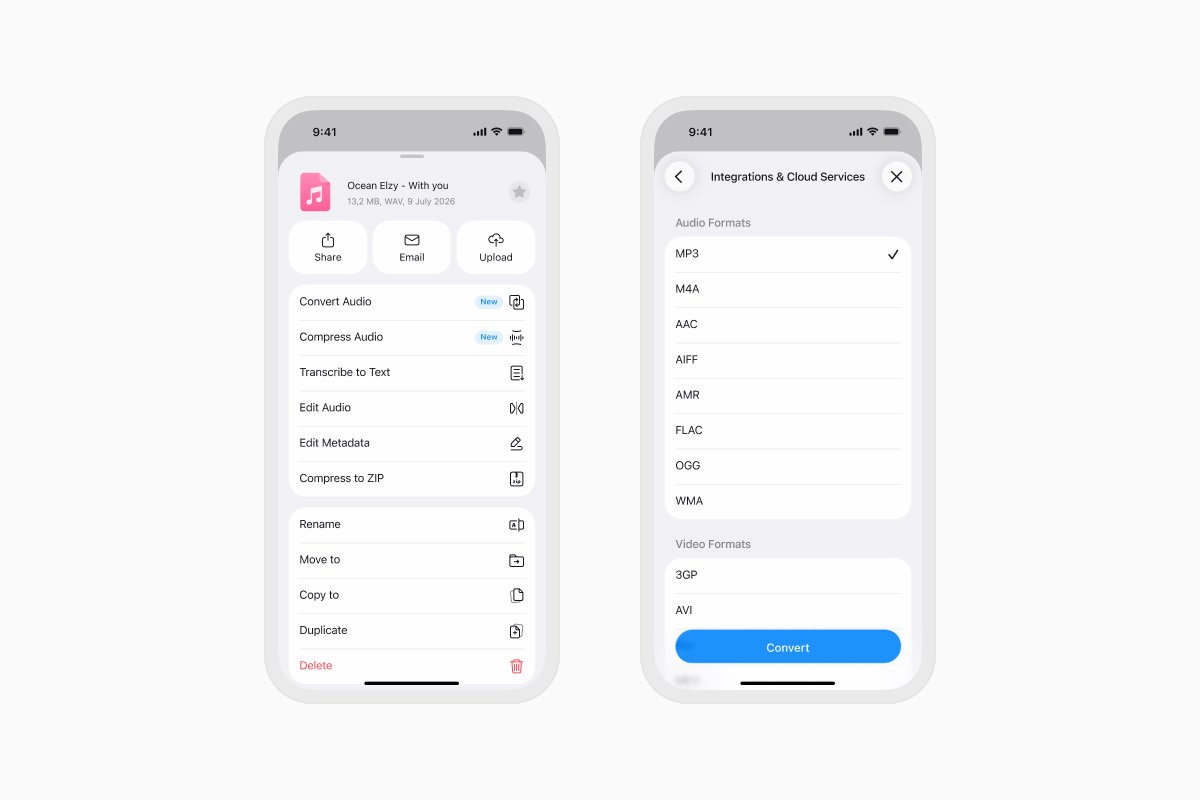
Convert images, videos, audio recordings, documents, and PDFs in just a few taps. With support for dozens of popular formats, Documents is ready for almost any file you work with. The converted file is saved right in Documents, so it's immediately ready to share, edit, upload, or organize.
There's no need to switch between apps or keep track of downloaded copies. Everything happens where your files already are.
Ready for the files you receive
Files come in all kinds of formats. A colleague sends a WEBM video. A client shares a WAV recording. Your camera saves images as HEIC, but another service only accepts JPEG.
Instead of searching for the right converter every time, you can simply open the file in Documents and choose the format you need.
Smaller files, same workflow
Large files are great until you have to send them.
Documents now lets you compress audio, video, and image files before sharing them. It's an easy way to reduce file size for email, messaging apps, cloud storage, or online uploads without interrupting what you're doing.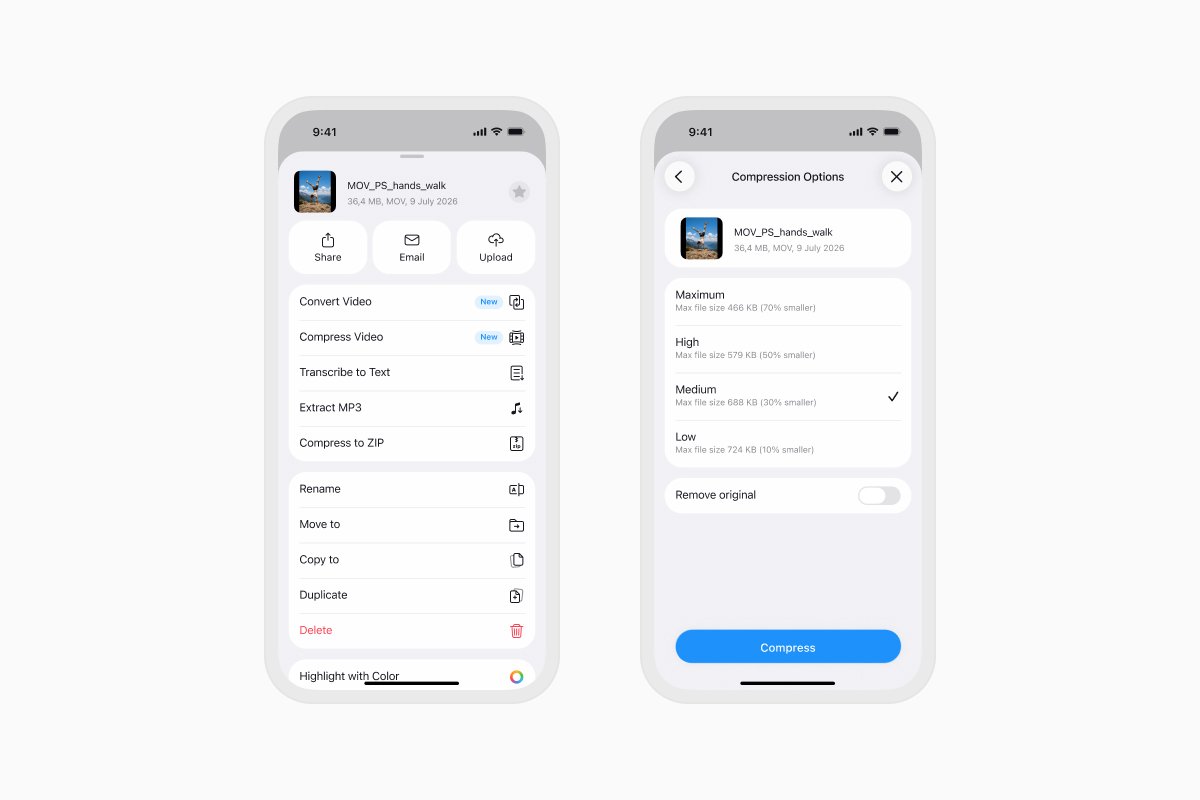
Available now
Documents has always been the place where your files live. Now it's also where you prepare them for what's next.
Convert a file, compress it, edit it, share it, upload it without leaving the app. Everything stays together, making it easier to move from one task to the next.
Media conversion and compression are available today with Documents Plus. Update to the latest version and discover a simpler way to work with your files.
A Documents Plus subscription also includes unlimited access to the premium tools on Documents.io, with no daily limits or batch restrictions. Transform files in the app or on the web whenever you need, without hitting usage limits.
Latest posts

What's new
Documents is now backed by ISO 27001-certified security
Documents is now backed by ISO 27001-certified security, giving you even greater confidence that your files and data are protected by internationally recognized security practices.

What's new
Documents is ready for iOS 27: bigger widgets, smarter Shortcuts, and Siri
Get more done with Documents on iOS 27. See more from your Home Screen, automate file tasks with upgraded Shortcuts, and use Siri to work with your files.

What's new
Smart Insights: understand any file in one tap
Instantly analyze and break down any document with Smart Insights. Get key takeaways, summaries, and instant file understanding in just one tap.