

Documents is ready for iOS 27: bigger widgets, smarter Shortcuts, and Siri

Documents is ready for iOS 27 from day one, with new XLarge widgets, more powerful file automations in Shortcuts, and new ways to work with your files using Siri.
You can update your iPhone or iPad and keep using Documents as usual, with a few new ways to access your files and get things done faster.
See more from your Home Screen, automate file tasks with Shortcuts, and use Siri for simple actions with your files.
Your files, ready when you update
Documents has been updated to work smoothly with iOS 27 and iPadOS 27.
Everything you already use remains where you expect it, from managing and transferring files to working with PDFs, media, and cloud storage.
We’ve also refined Documents for the latest Apple devices, so the app feels at home on iOS 27 without changing the experience you already know.
See more from your Home Screen
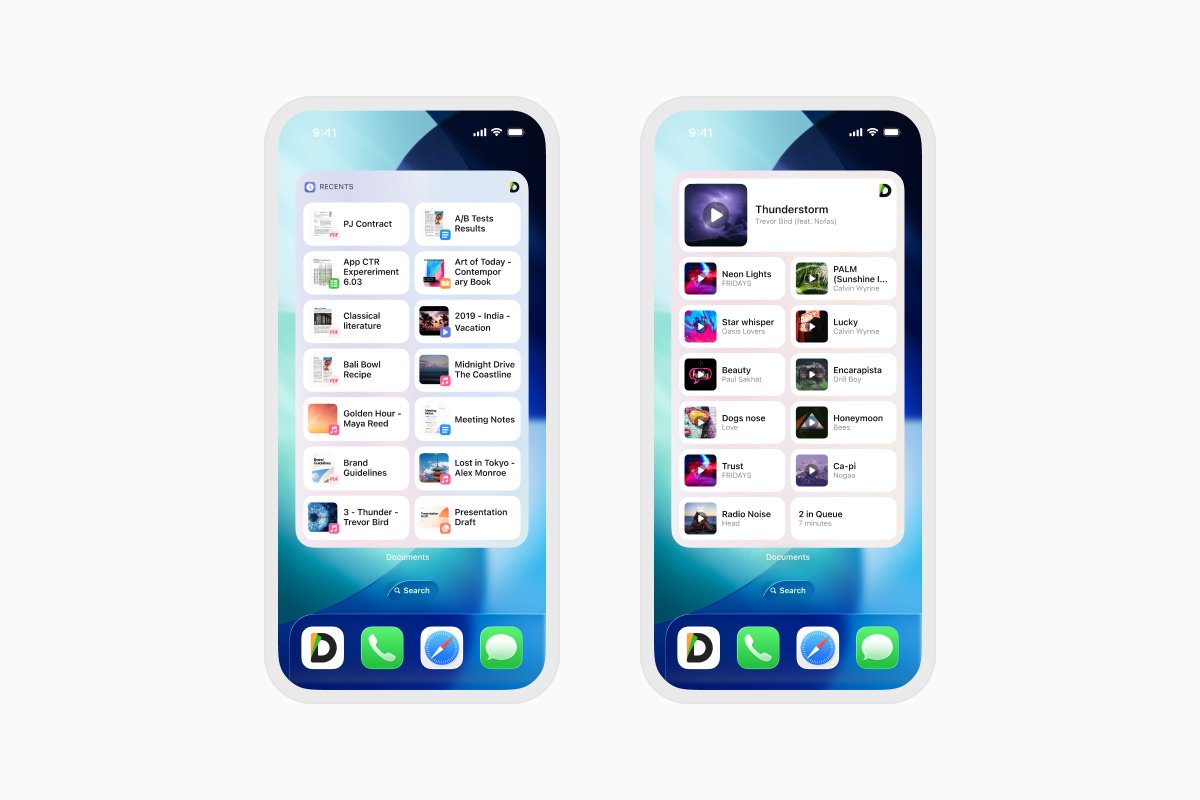
The new XLarge widgets give you a bigger view of your files directly from your iPhone Home Screen.
Choose from Recents, Favorites, or Music to keep the content you use most within easy reach. Each widget shows a scrollable list with thumbnails, along with quick actions along the bottom for one-tap access.
XLarge widgets are available in light and dark styles, so they fit naturally with the rest of your Home Screen.
Build file automations with upgraded Shortcuts
Documents works with Apple Shortcuts to help you automate tasks on your iPhone and iPad. With the latest update, you can use new actions for working with files:
You can now use Shortcuts to:
- Get a file from Documents
- Save a file to Documents
- Convert a file to PDF
- Convert a PDF to another format
These actions can be combined with other steps to create workflows that fit the way you work.
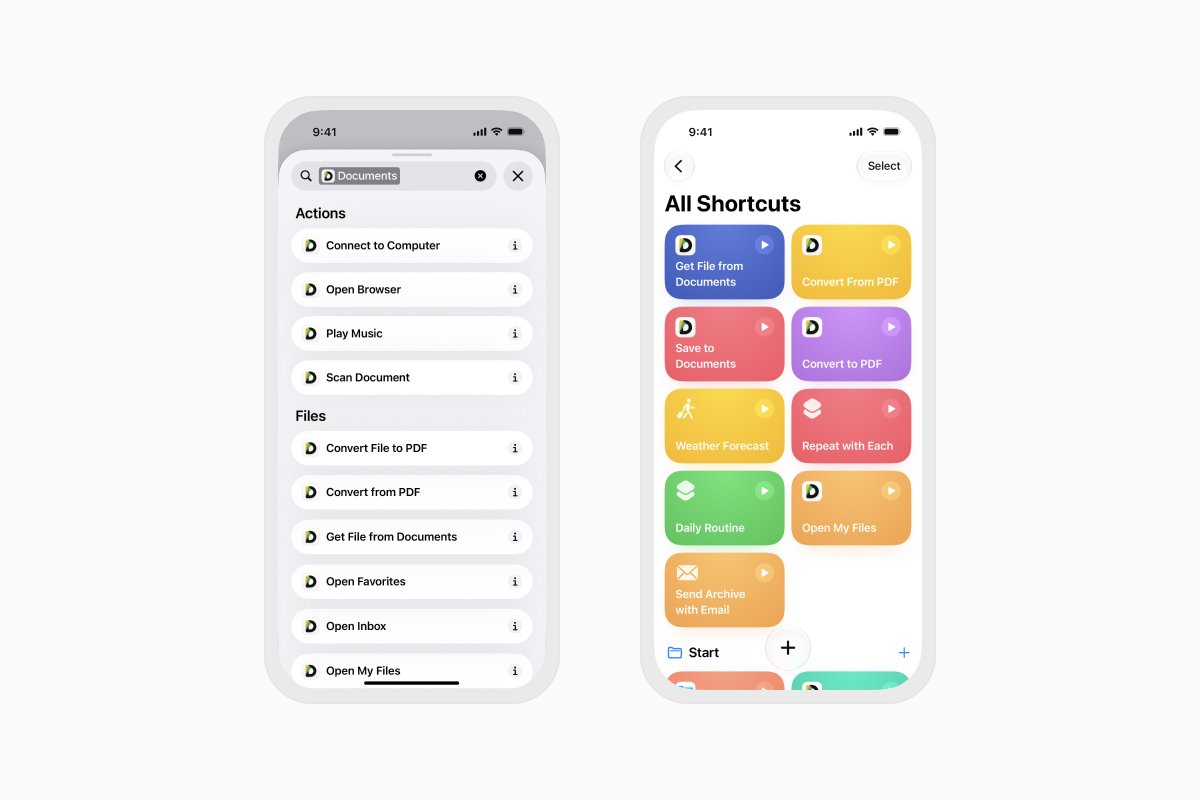
For example, you could build a Shortcut that takes files from your Documents Inbox, creates an archive, and prepares it as an email attachment. You could also retrieve a document, convert it to PDF, and save the result to your preferred cloud storage.
Once your Shortcut is ready, you can run the entire flow without opening Documents and repeating each step manually.
Ask Siri to work with your files
Documents also works more closely with Siri on supported devices.
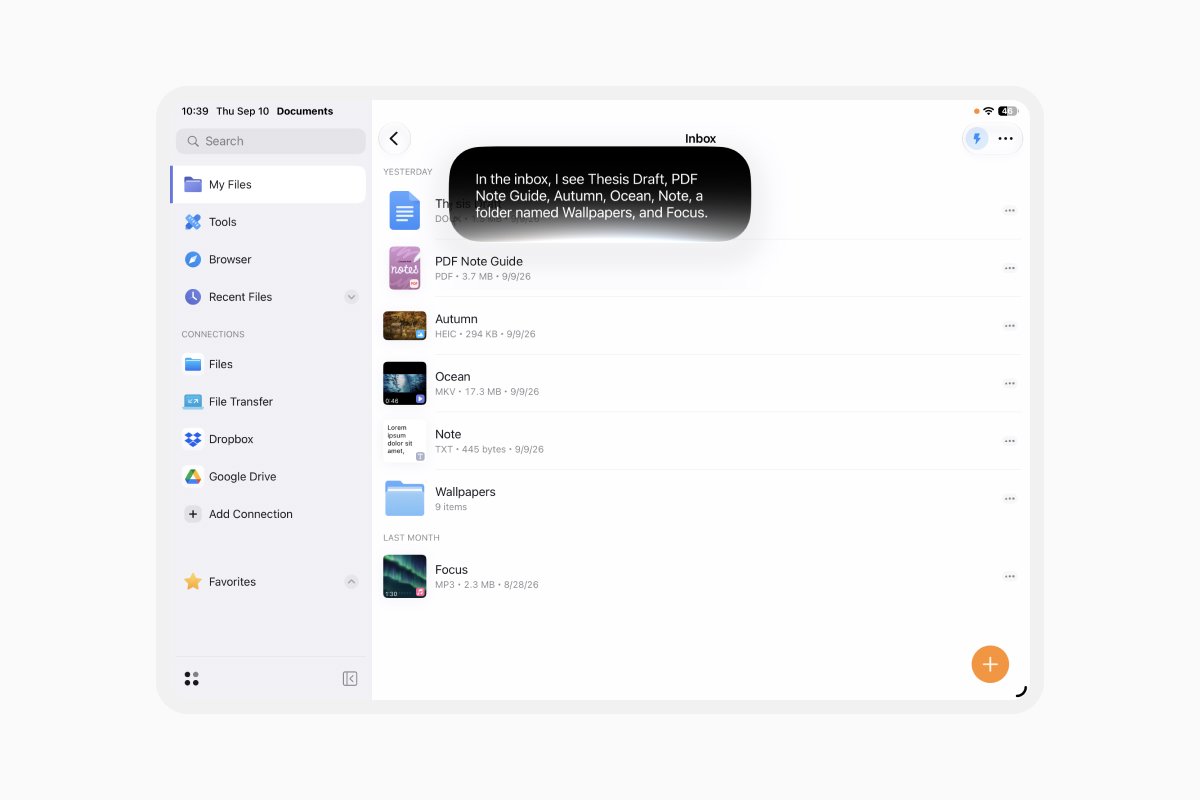
You can ask Siri to open a file or add one to an email. With onscreen content awareness, Siri can understand the files displayed in your Documents Inbox and what you are referring to.
t’s a simple way to start common file tasks without navigating through the app yourself.
As Siri evolves, we’ll continue exploring new ways to make working with your files in Documents quicker and easier.
Ready for iOS 27
Documents is ready to help you get more from iOS 27 from the moment you update.
Keep your existing workflows, see more of your files from your Home Screen, and use Shortcuts or Siri to complete everyday tasks with fewer steps.
Shortcuts support requires iOS 18 or later. Siri support for Documents requires iOS 27 on iPhone 16 or later, or iPadOS 27 on an iPad with an M4 processor, with the device region set to the US and a non-EU App Store. Documents must also be added to your Siri queue. Using Shortcuts with Siri requires the same Siri requirements.
Latest posts

What's new
Unfold your workspace: Documents is ready for iPhone Duo
Documents is ready for iPhone Duo. Unfold a bigger workspace to manage files, view documents, and multitask side by side, all from your iPhone.

What's new
Smart Insights: understand any file in one tap
Instantly analyze and break down any document with Smart Insights. Get key takeaways, summaries, and instant file understanding in just one tap.

What's new
Convert and compress files without leaving Documents
Stop app-hopping just to manage your files. Learn how to instantly compress heavy documents and convert file formats on the fly without ever leaving the Documents app