


There’s always something waiting to be read. A report before a meeting, notes for an exam, an article you saved last week, or a PDF someone just sent you.
Smart Insights in Documents helps you get to the important parts faster. Open a PDF, text file, image, or link, tap Extract Insights, and Documents gives you a summary with the main points.
See what a file is about
You don't always need to read every page to know if a document is useful.
With Smart Insights, tap Extract Insights to get an overview of what's inside, including:
- An executive summary with the main idea of the document
- Key takeaways highlighting the most important points
- Bias detection that can help identify the perspective or leanings of the content
You can then return to the original file and spend more time on the sections that matter to you.
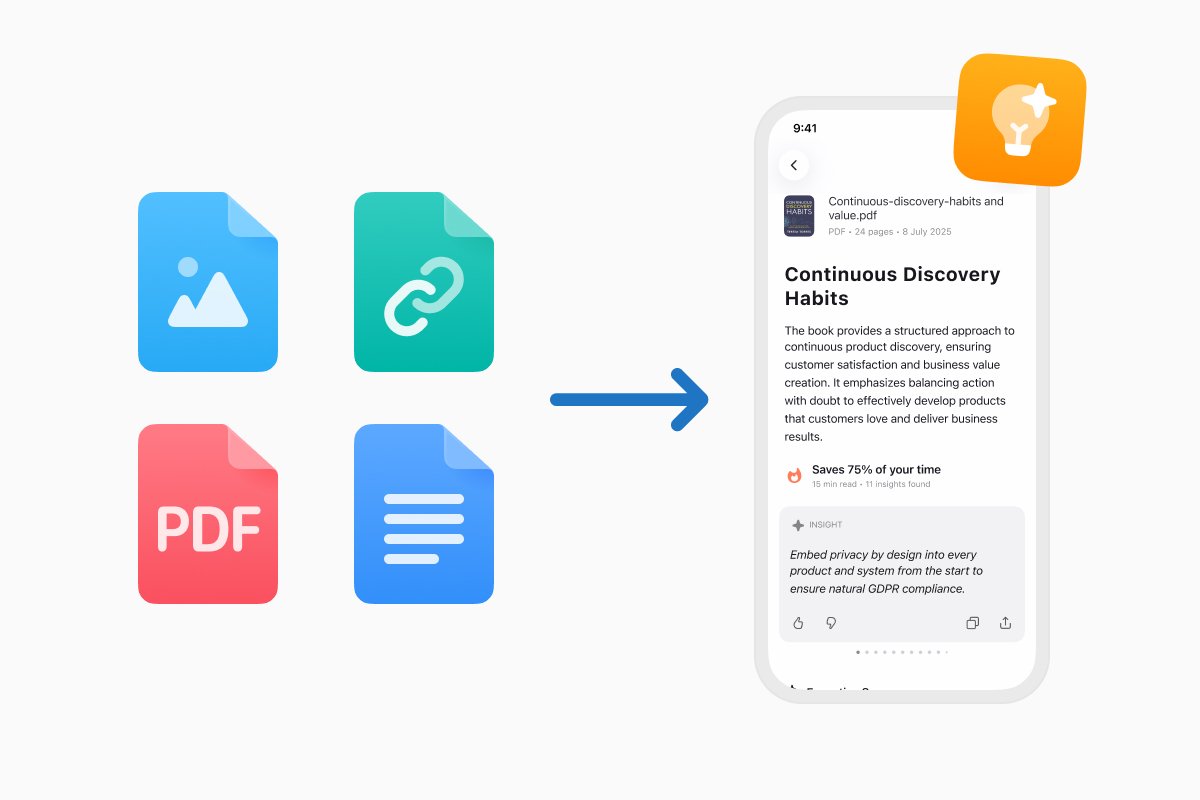
Summarize PDFs, text, images, and links
Useful information comes in many formats, so Smart Insights isn't limited to PDFs.
You can use it with:
- PDF documents, including reports, papers, guides, and ebooks
- Text files and notes
- Images containing information you want to understand
- Links to articles and other web content
Everything happens in Documents, alongside the files you're already working with.
Catch up on long PDFs faster
A 40-page report might contain only a few sections you actually need. A research paper might have one finding that's relevant to your work. And sometimes you simply want to know what's inside a document before committing time to it.
Smart Insights gives you that first overview.
For work, it can help you review reports, research, and documents before a meeting. For studying, it can pull out the main ideas from course materials and academic papers. For everyday reading, it can help you catch up on articles and other content you've saved for later.
You get the main points first and can spend your time on the parts that need a closer look.
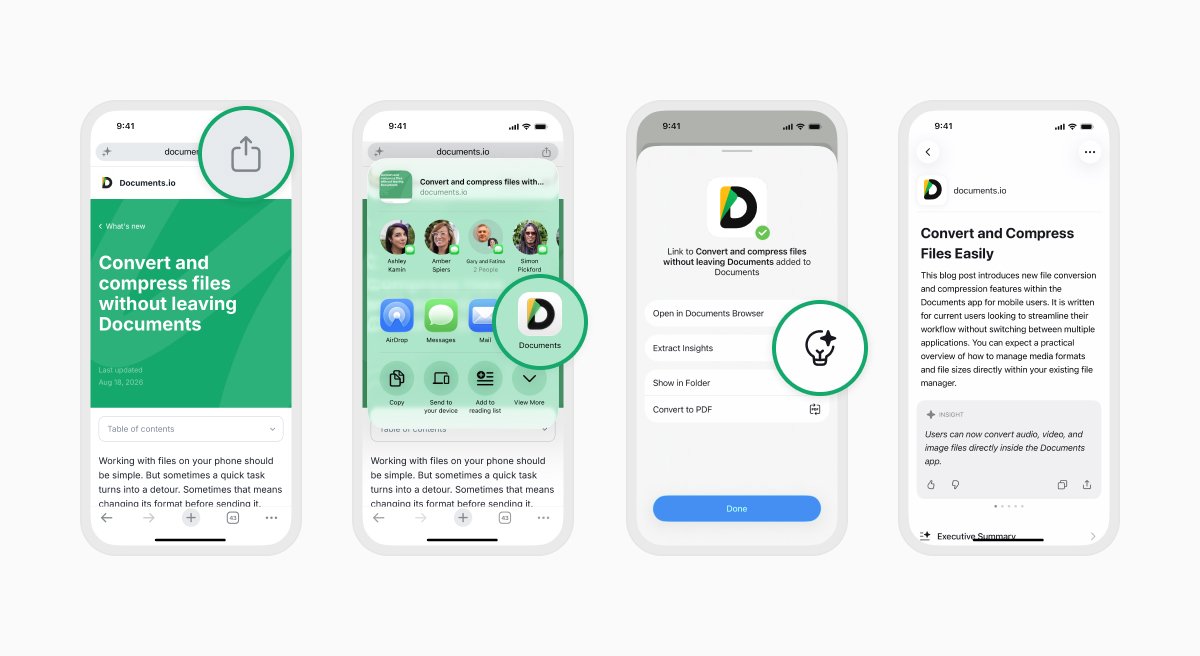
Extract insights from content in other apps
Found a long article while browsing on your iPhone? You can send it to Documents from the iOS Share menu and use Extract Insights there.
The same works with supported content from other apps. So if someone sends you a file or you come across something worth reading, you can get the main points without changing how you normally save and manage your files.
Smart Insights is also available on Documents.io, where you can summarize files and links from your browser.
For step-by-step instructions, see our guide to summarizing PDFs, documents, images, and links with Smart Insights.
Check the perspective behind a source
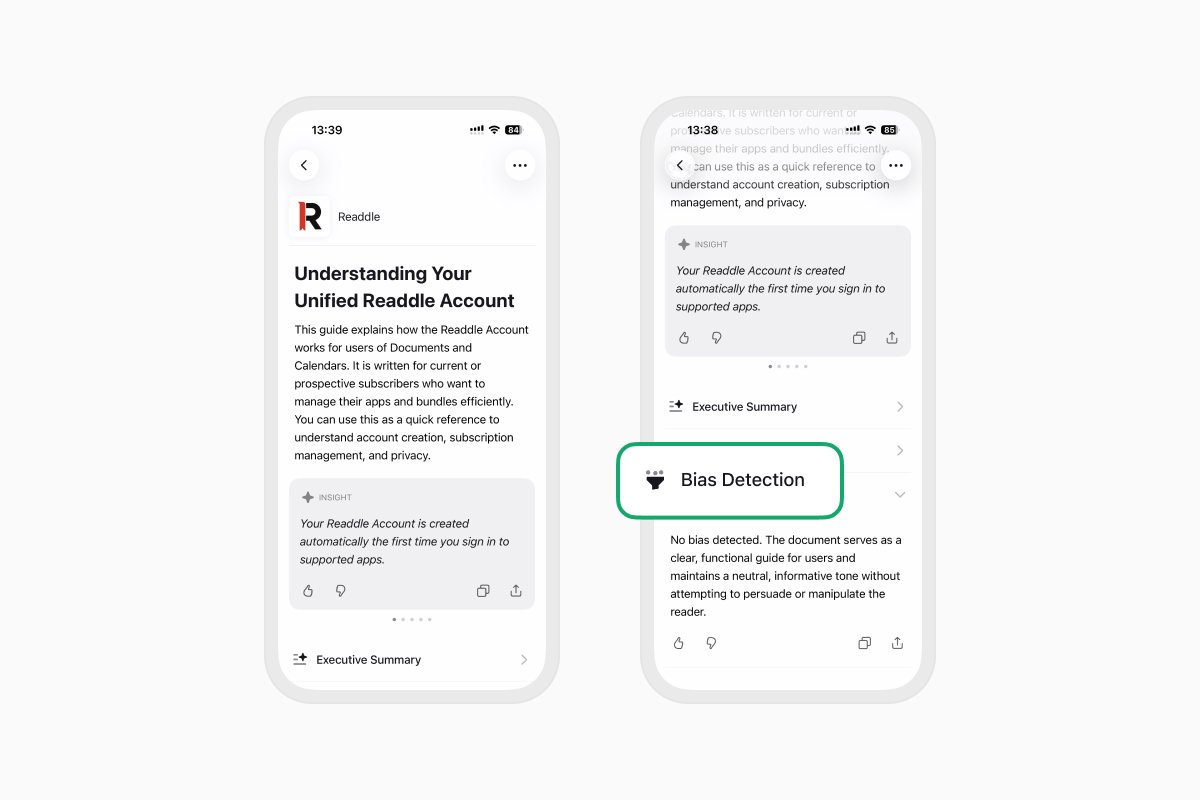
Two articles can cover the same subject very differently. Reports and research can also present information from a particular point of view.
Smart Insights includes bias detection to give you more context about what you're reading. Alongside the summary, you'll see an indication of the tone and possible leanings in the source.
It's an extra piece of context that can be useful when you're reading news, opinion pieces, research, or other material where the way information is presented matters.
AI-generated summaries and analysis can still make mistakes, so check the original source when accuracy is important.
Save or share what matters
Once you've generated a summary, you can copy, share, or export it.
You might save the key points from your research, send a summary to a colleague, keep notes for later, or use the overview to decide which parts of the original document you want to read.
Your file and its summary stay close together, making it easier to move from reading to whatever comes next.
Spend less time finding the point
Smart Insights gives you a quicker way to understand the files and content you already have.
Open a PDF, text file, image, or link in Documents, tap Extract Insights, and get the key points in seconds.
Smart Insights is available in Documents on iPhone and iPad and on Documents.io with the Plus plan.
Latest posts

What's new
Documents is now backed by ISO 27001-certified security
Documents is now backed by ISO 27001-certified security, giving you even greater confidence that your files and data are protected by internationally recognized security practices.

What's new
Documents is ready for iOS 27: bigger widgets, smarter Shortcuts, and Siri
Get more done with Documents on iOS 27. See more from your Home Screen, automate file tasks with upgraded Shortcuts, and use Siri to work with your files.

What's new
Everything you need to know about Readdle account
Your Readdle Account gives you seamless access to your subscriptions across supported apps. Learn how it works, how to manage it, and what to know before making changes.