

Capture conversations and ideas with Voice Notes in Documents

Taking notes during a meeting or lectures isn’t always convenient. And sometimes, you just want to capture an idea before you forget it.
Today, we're introducing Voice Notes in Documents, a new feature that lets you record audio and turn it into a summary, follow-ups, and a full transcript. Everything stays in the same app where you already manage your files.
Stay in the conversation. Documents takes the notes.
With Voice Notes, you can focus on the conversation instead.
To get started, open Documents, tap the + button, and select Voice Notes. You can also start a recording from the Action button.
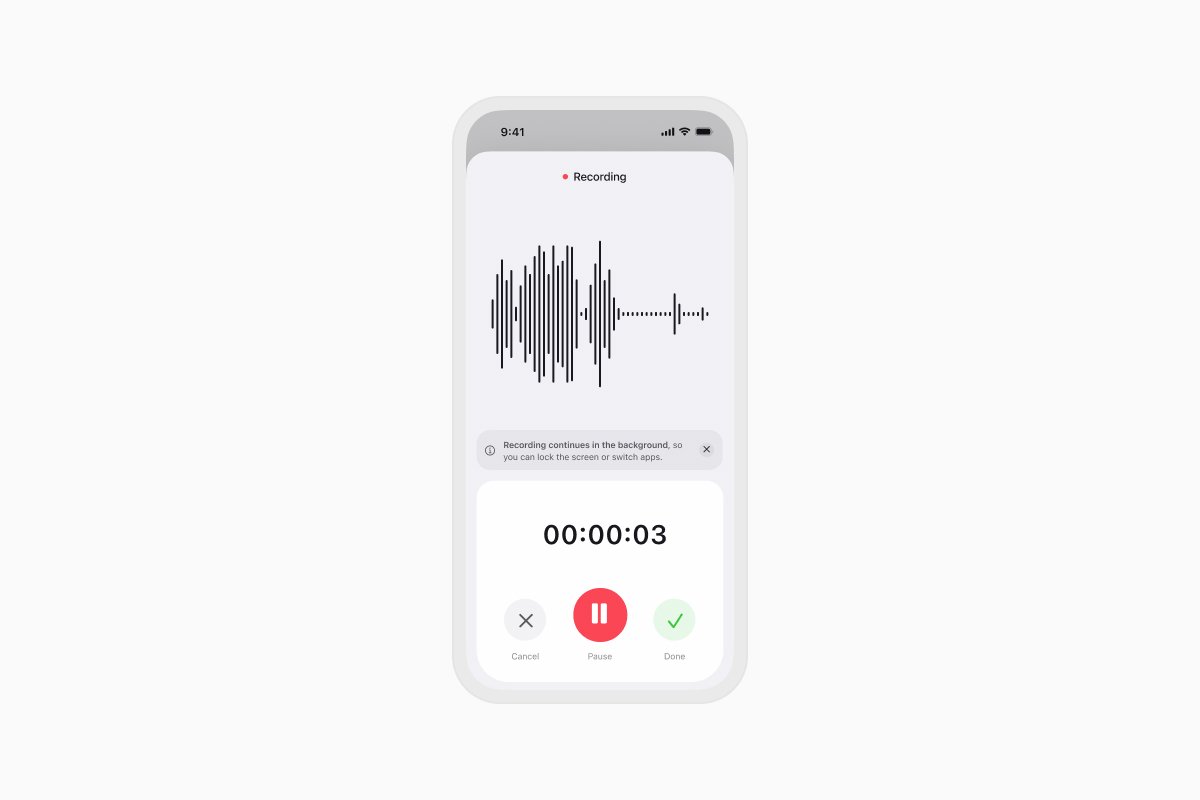
Once you finish recording, Documents generates:
- A summary with the main points of what was said.
- Follow-ups highlighting action items, questions to revisit, or ideas worth exploring.
- A full transcript so you can go back to the original conversation whenever you need to.
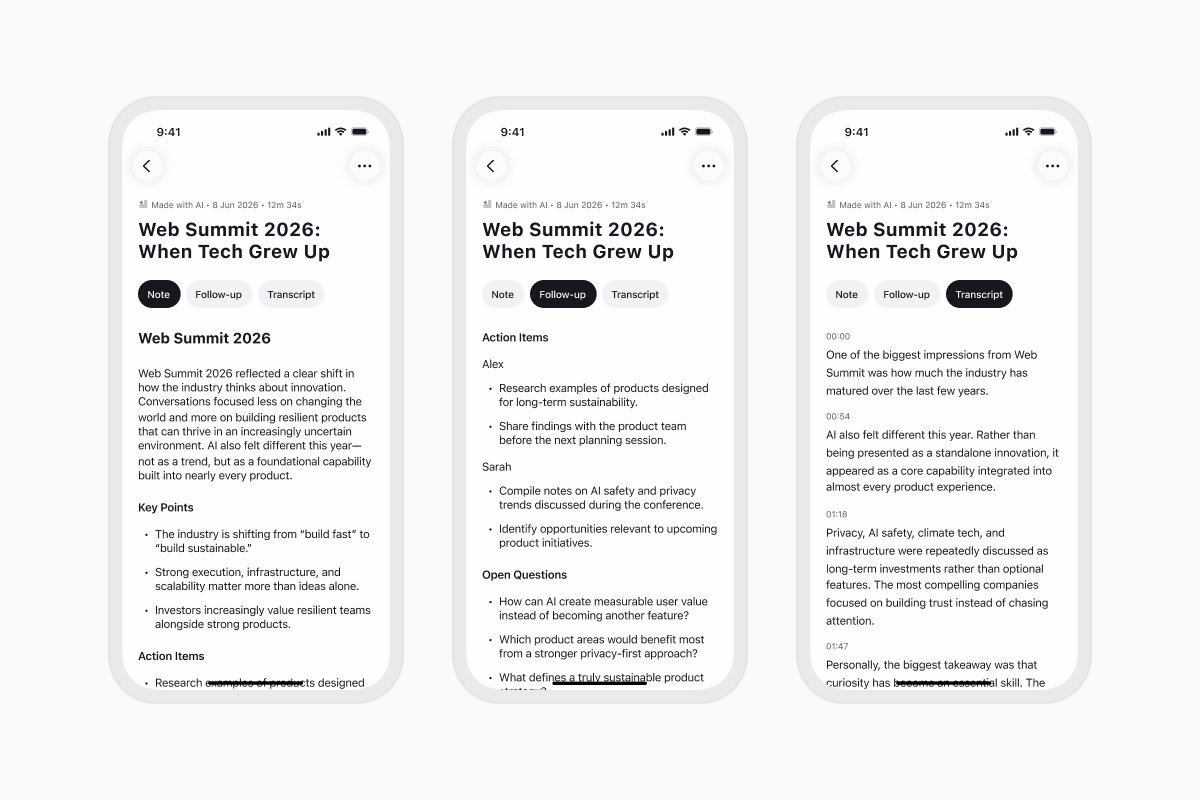
You can switch between the three views, listen to the recording, or copy and share the information you want to keep.
Voice Notes supports different languages, including conversations where more than one language is spoken. The transcript preserves the languages used during the recording, while the summary and follow-ups are generated in the most frequently spoken language.
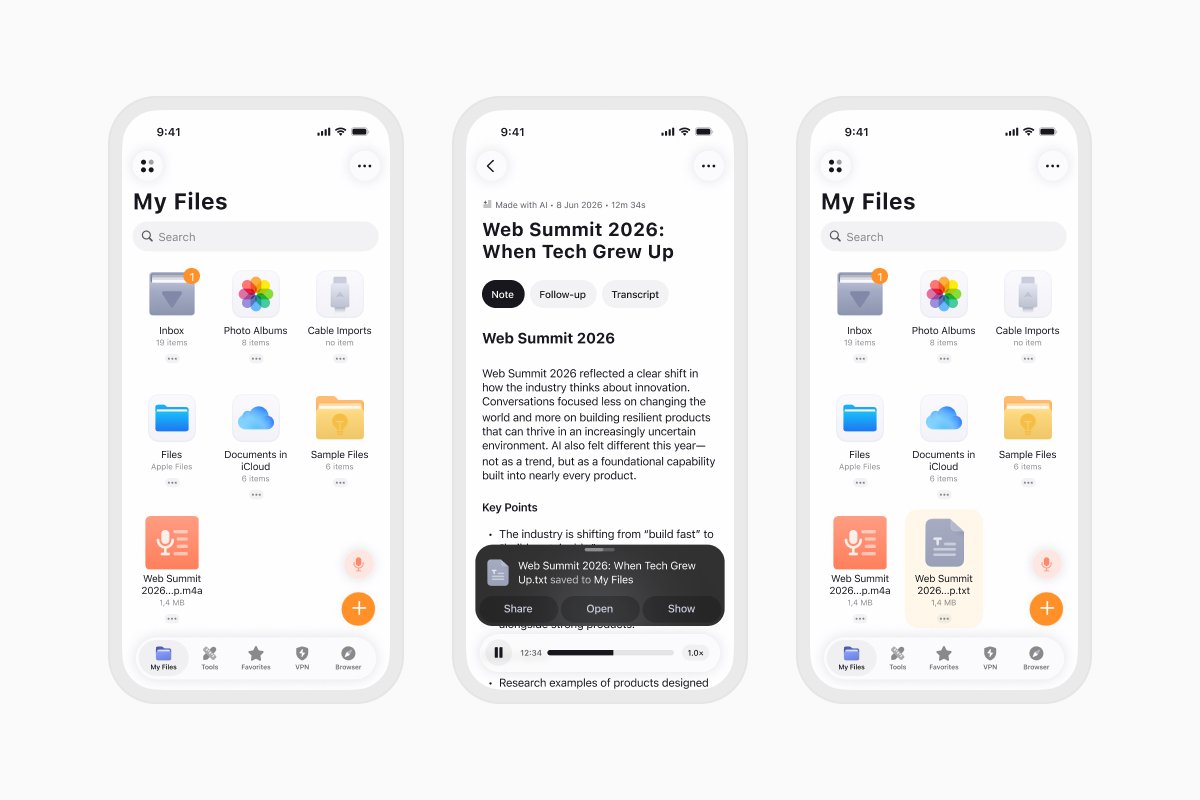
Your recordings, right where your files are
Every voice note is saved directly in Documents as a single file containing the original recording, summary, follow-ups, and full transcript. You can also save the transcript as a separate .txt file alongside your voice note.
Just like your other files in Documents, you can organize your voice notes into folders, share them, or sync them with your cloud storage. Everything stays together, making it easy to find and revisit your recordings whenever you need them.
For work, studies, and everyday life
Voice Notes comes in handy in all kinds of situations. Record a meeting and revisit the key points later, capture a lecture without constantly taking notes, or talk through an idea when inspiration strikes.
You can also use it for more personal moments, like keeping a spoken journal, planning a trip, or simply saving a thought you don't want to forget.
Give Voice Notes a try
Voice Notes is now available in Documents for iPhone and iPad, as part of Documents Plus, alongside more than 30 other tools.
If you're already a Plus subscriber, you can start using it at no additional cost, with no recording-minute limits. New users can try it free for 7 days.
To get started, open Documents, tap the + button, and select Voice Notes. Allow microphone access, make sure everyone involved agrees to be recorded, and you're ready to go.
Latest posts

What's new
Unfold your workspace: Documents is ready for iPhone Duo
Documents is ready for iPhone Duo. Unfold a bigger workspace to manage files, view documents, and multitask side by side, all from your iPhone.

What's new
Documents is ready for iOS 27: bigger widgets, smarter Shortcuts, and Siri
Get more done with Documents on iOS 27. See more from your Home Screen, automate file tasks with upgraded Shortcuts, and use Siri to work with your files.

What's new
Smart Insights: understand any file in one tap
Instantly analyze and break down any document with Smart Insights. Get key takeaways, summaries, and instant file understanding in just one tap.