
Free online Image Compressor
Reduce image file sizes for quicker uploads and smoother workflows. Right from your browser
or drag and drop files here
You might also want to do this



How to compress an image file
- 1
Upload your file: drag and drop, use the “Choose a File” button, or select multiple for batch processing
- 2
Select your target format (JPG, PNG, WEBP, TIFF, etc.)
- 3
Click the “Compress” button and wait a few seconds
- 4
Download the compressed image
Note: Large files may take a few extra seconds to process.
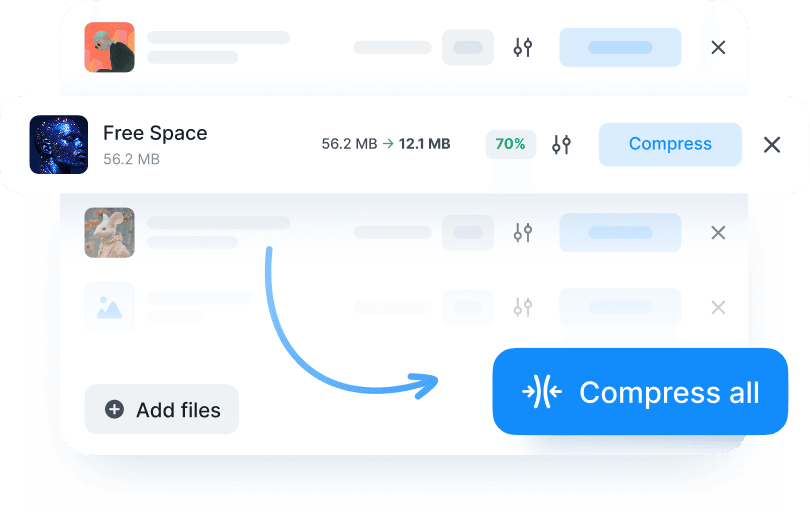
Why compress image files with Documents.io?
Compress images without losing visible quality. Fast, easy, and free. Use our online image compressor to reduce the size of your image files. No installs. Sign in and then upload, compress, and download in a click.

Secure image compression
Privacy comes first. The files that you compress are stored temporarily (up to 4 hours) and then permanently deleted, so there’s nothing you need to manage.

Compress images
Compress JPG, PNG, WEBP, GIF, and more.

Convenient ecosystem
Your compressed image files work smoothly across Documents.io tools, making it easy to not just compress but edit and move documents end to end.
The image compressor you need
A simple tool that works fast and efficiently. No ads, no watermarks, just clean compression.

Simple, fast, and free
Komprimieren Sie Bilddateien in Sekunden. Verringern Sie die Dateigröße sofort durch einen intelligenten Prozess, der die visuelle Klarheit schützt und dabei mühelos große Datenmengen verarbeitet.

Part of something bigger
Unser kostenloser Compressor wird vom Team hinter der Documents-App entwickelt und sorgt so für eine nahtlose Integration mit Ihren vorhandenen Tools.