


Looking for an easy way to read books on your iPhone or iPad? Documents by Readdle lets you open EPUB, PDF, FB2, TXT, and other popular ebook formats in one place. Instead of switching between different apps, you can keep your entire library organized and enjoy a comfortable reading experience across all your books.
In this guide, you'll learn how to open EPUB and PDF books on your iPhone, customize your reading experience, and make the most of built-in features like bookmarks, annotations, and search.
How to open books on iPhone
Getting started only takes a few taps.
- Download Documents for free from the App Store.
- Open the app and tap the + button in the bottom-right corner.
- Import your book from the Files app, cloud storage, or your computer.
- Select the book you want to read.
- Tap it to start reading.
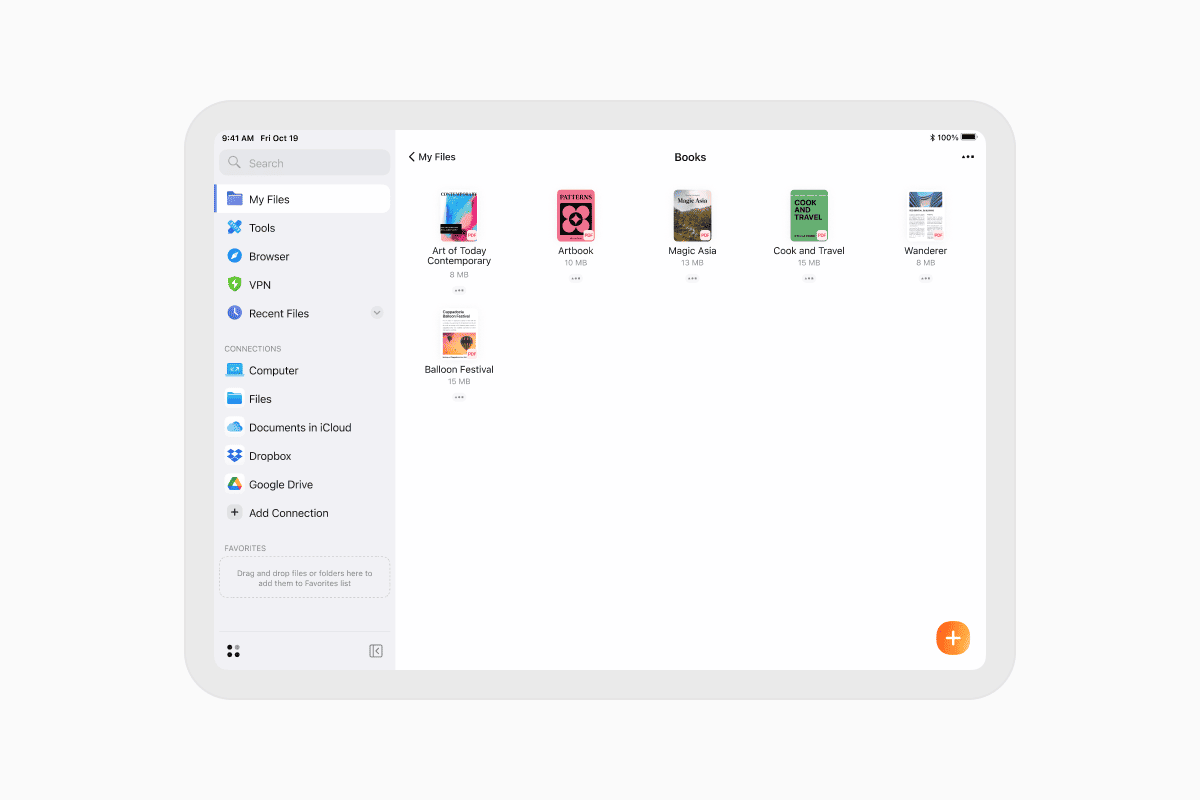
Your book is now ready to enjoy. Whether it's an EPUB novel, a PDF manual, or another supported format, Documents opens it instantly.
Customize your reading experience
Documents includes everything you need for comfortable reading.
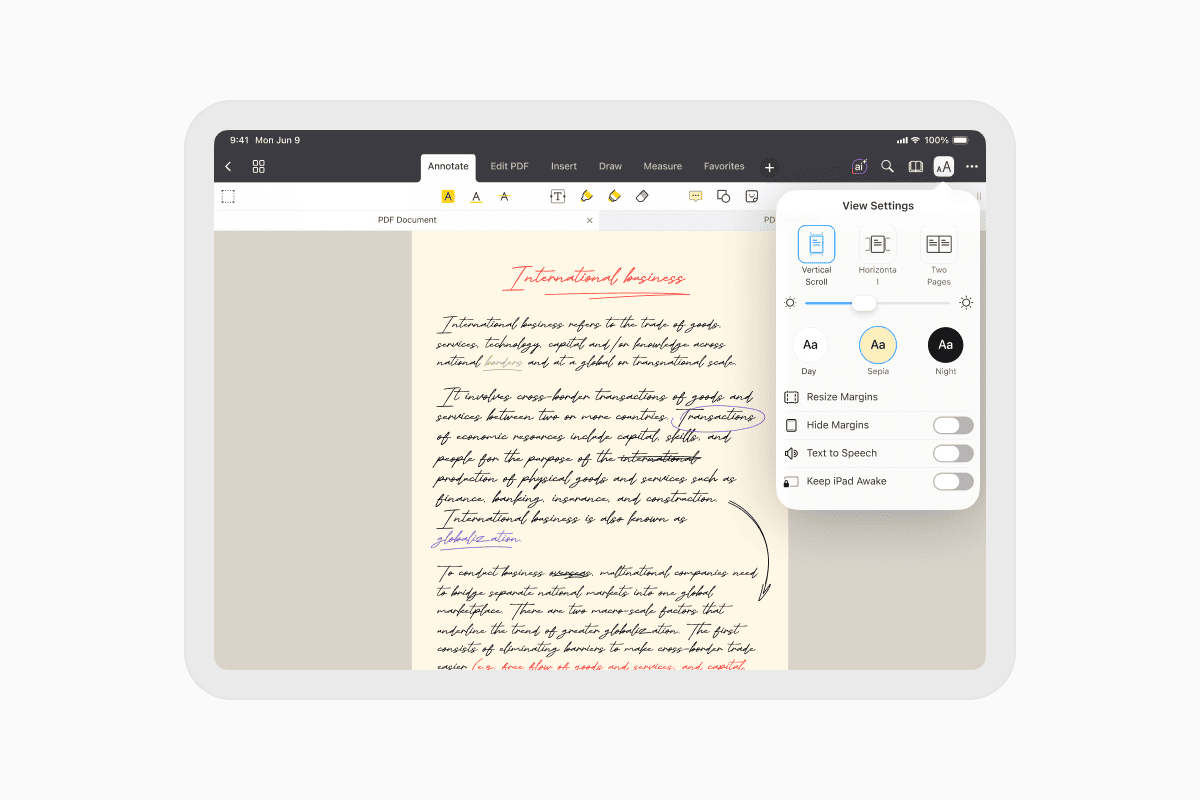
Open an EPUB book, tap View Options, and customize the experience with:
- Vertical or horizontal scrolling
- Adjustable brightness
- Light, Night, or Sepia themes
- Different fonts and text sizes
- An option to keep your screen awake while reading
These settings make it easy to read for hours, whether you're at home, commuting, or traveling.
Bookmark important pages
Want to come back to a chapter later?
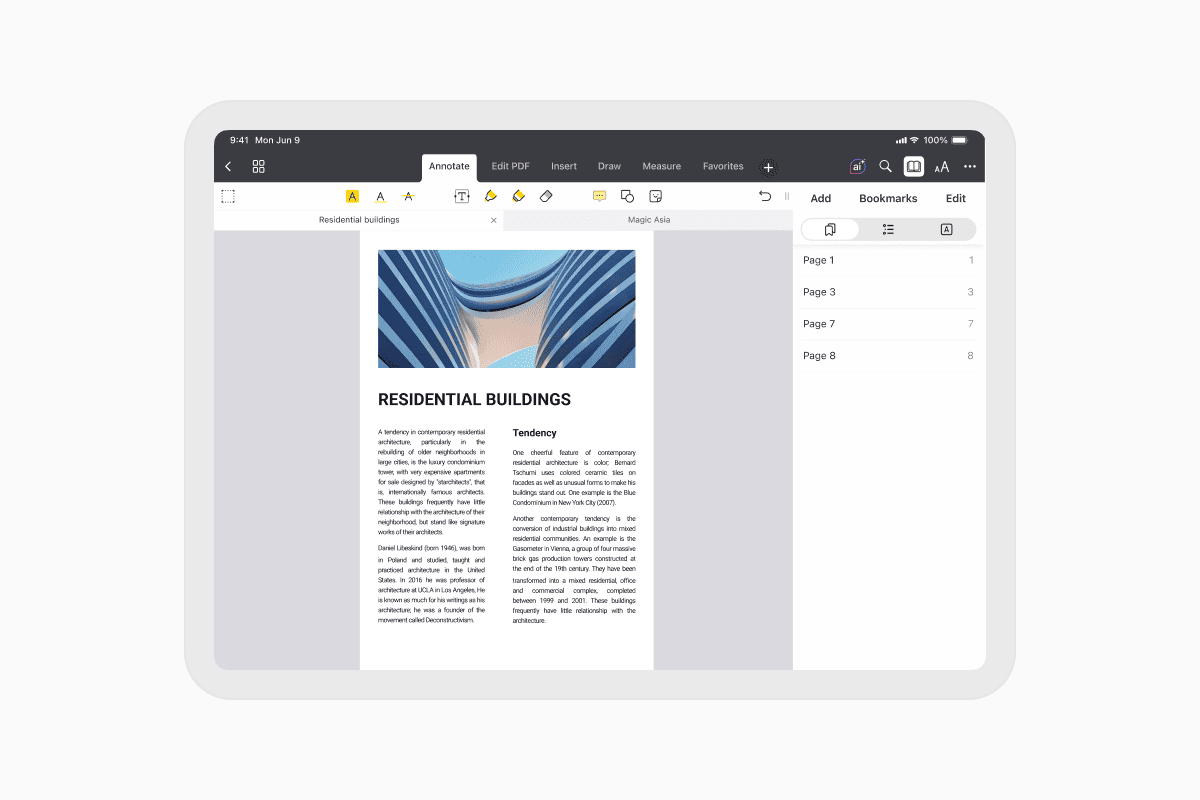
Simply tap the Bookmark button while reading, give your bookmark a name, and save it. You can access all your bookmarks anytime from the Bookmarks tab.
Jump to any chapter
Long books are easier to navigate with the built-in table of contents.
Open the reading menu and select Table of Contents to see every chapter and jump directly to the section you want.
Search inside your books
Need to find a quote, name, or specific topic?
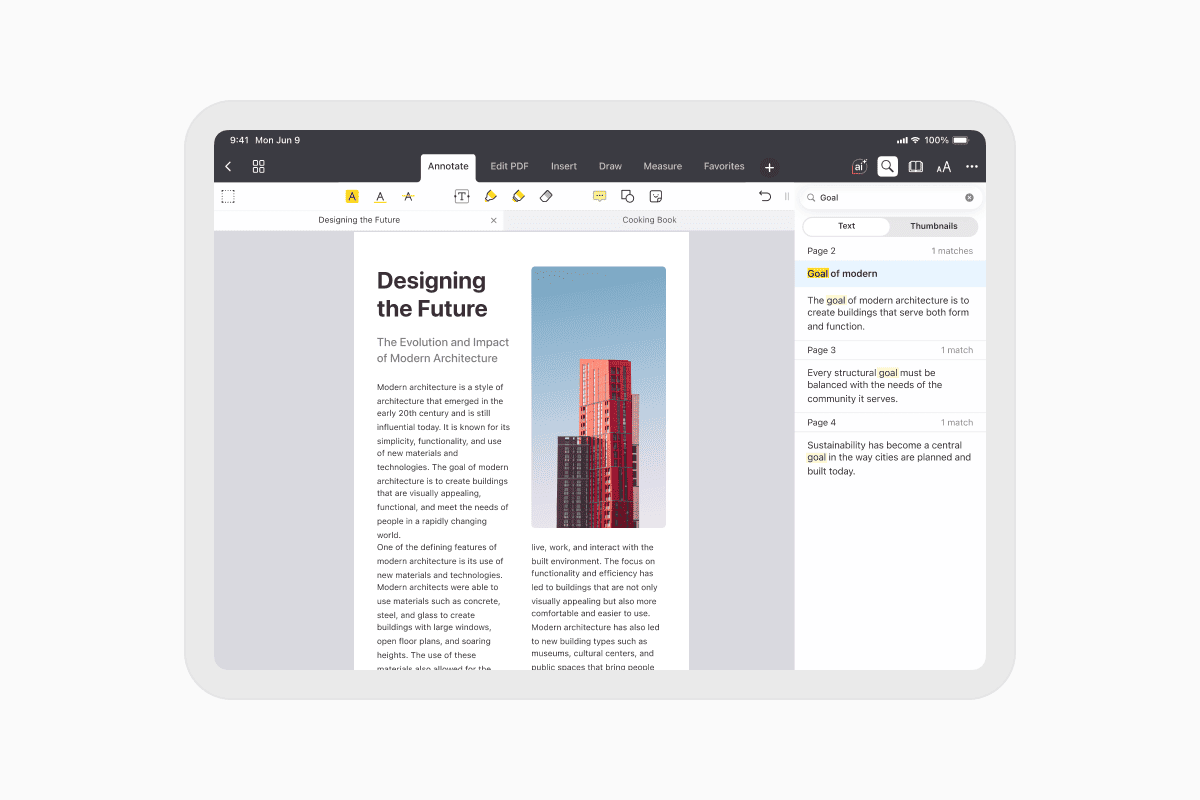
Tap the Search icon, enter a word or phrase, and Documents instantly highlights every match. Use the navigation arrows to move between results.
Annotate PDF books
Documents is also a powerful PDF reader, making it easy to study, review, or work with documents.
Open any PDF and tap Annotate to:
- Highlight or underline text
- Add notes and comments
- Draw with pen or marker tools
- Insert shapes and stickers
- Erase or edit annotations
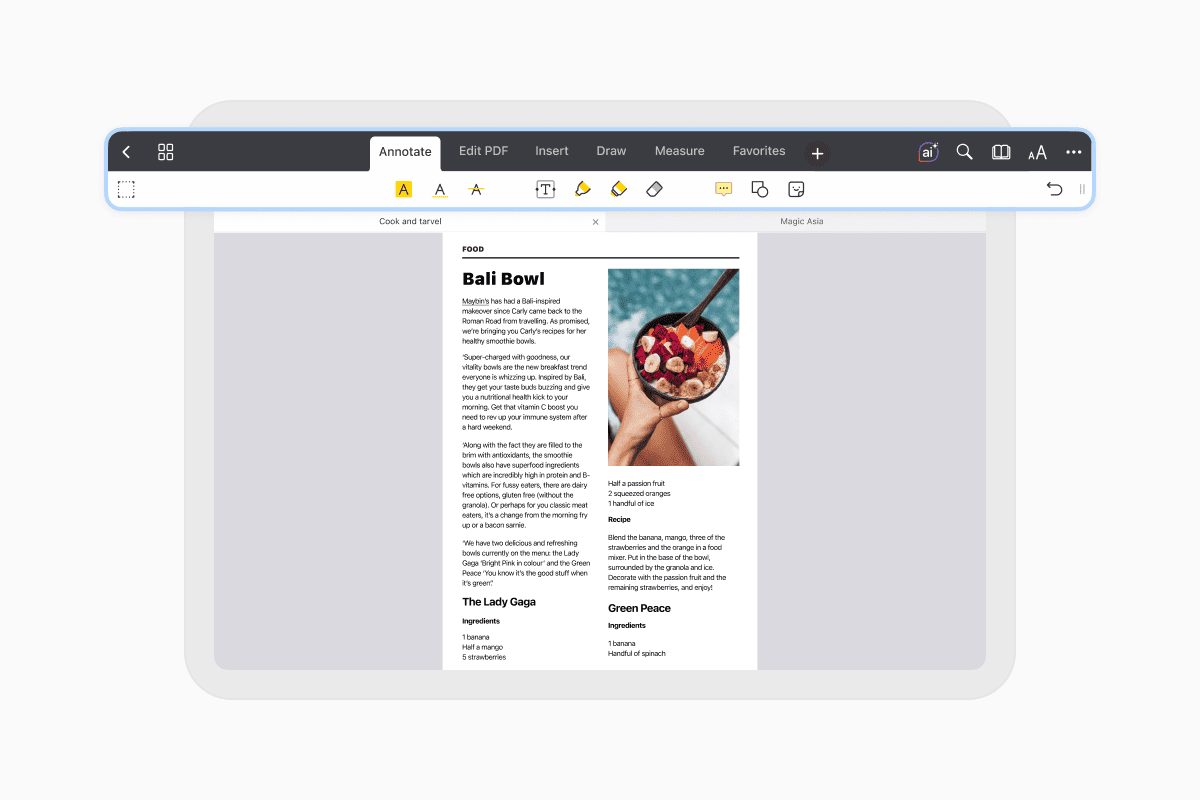
Whether you're reading a textbook, research paper, or work document, you can interact with your PDFs instead of simply viewing them.
Read all your books in one app
Documents is more than an ebook reader. It lets you download books from the web using its built-in browser, organize your library in folders, connect cloud storage, and read EPUB, PDF, FB2, TXT, and other formats—all from a single app.
Download Documents for free and enjoy a better way to read books on your iPhone and iPad.
Latest posts

How-Tos
How to download and play MP3 music on iPhone for free
Learn how to download your favorite mp3 music from the internet or from your computer to your iPhone and play it for free using the Documents app.
How-Tos
How to sync iPhone and iPad
If you’re wondering, “How do you sync iPhone & iPad without iCloud?” don’t worry! This guide explains how to set up two-way synchronization between iOS devices.
How-Tos
How to save audio files on iPhone: full guide
Download audio files to your iPhone in just a few taps. Learn how to save music, podcasts, and other audio with Documents, where to find your downloads, and how to organize them for offline listening.